01
Challenge
Healthcare apps need to show important information without making the experience feel complex or stressful.
HEALTHCARE / MOBILE APP EXPERIENCE
Aiqahealth is a healthcare mobile app designed to make health access simpler, clearer, and more reassuring for users looking to discover services, book care, and manage their health journey from one place.
Timeline
Healthcare app UX design
Role
UI/UX Designer
Focus

Synopsis
Healthcare apps can easily feel overwhelming because users are often dealing with urgency, confusion, or uncertainty. The challenge was to design an experience that feels calm, trustworthy, and easy to use while helping users find the right service and complete important actions without friction.
Design Process
Discover
Understood common healthcare app flows, patient needs, trust factors, and onboarding friction.
Define
Identified key areas to improve: first-time onboarding, service discovery, appointment booking, and user confidence.
Ideate
Explored simple app flows for login, profile setup, health services, booking, and user dashboard.
Design
Created clean mobile screens with clear hierarchy, simple actions, and easy-to-read healthcare information.
Review
Checked the flow for clarity, accessibility, content readability, and mobile usability.
Handoff
Prepared final app screens, UI components, and design-ready assets for development.
Key Research Insights
Healthcare users need quick clarity, not too many choices at once.
Trust is built through clean design, clear information, and reassuring communication.
Booking or service selection should feel guided, especially for first-time users.
Medical information must be easy to scan and written in simple language.
Opportunity Map
Onboard
Help users enter the app with minimal confusion and clear next steps.
Discover
Make health services easy to find, understand, and compare.
Book
Create a simple appointment or consultation flow with clear confirmation.
Manage
Give users a clean space to view appointments, profile details, and health-related updates.
Screen Breakdown
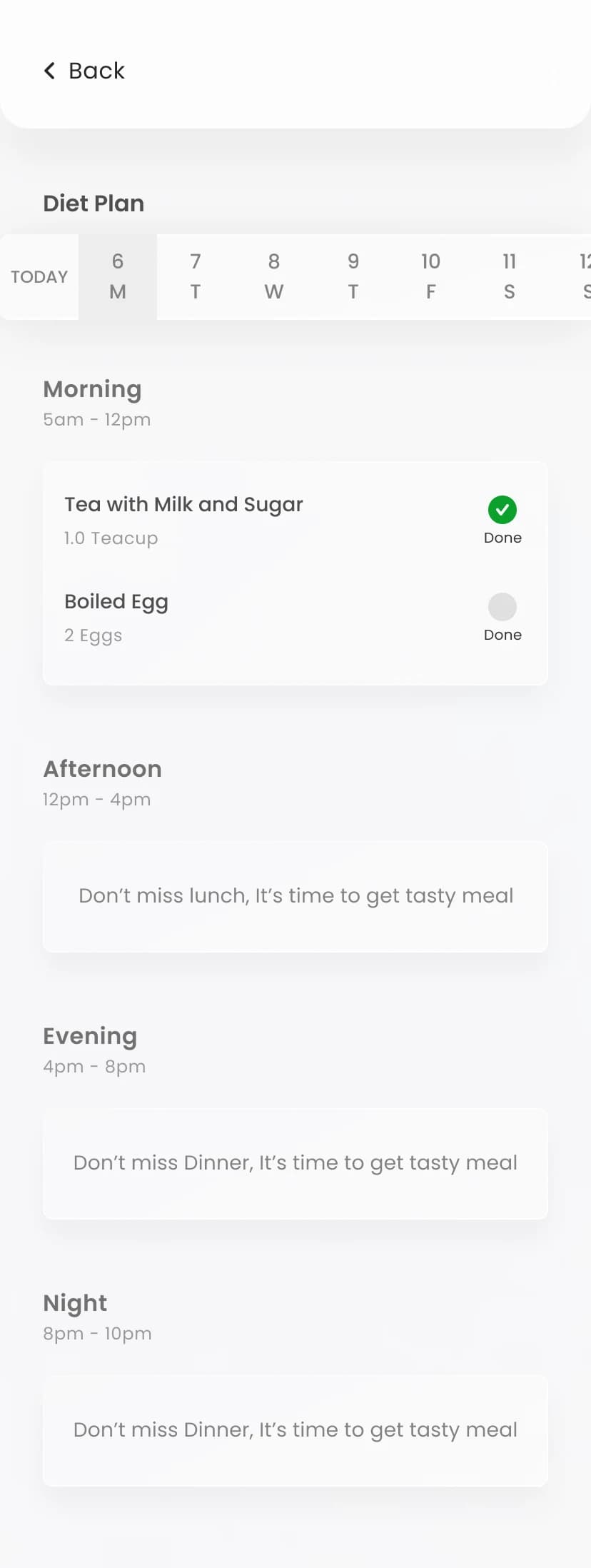
The most important screens were designed around moments where healthcare apps usually create anxiety: onboarding, service discovery, package understanding, consultation tracking, and booking confirmation.
The entry experience was designed to feel welcoming and low-friction so first-time users could begin their health journey without feeling intimidated.
A single clear action reduces hesitation at the first step
Warm illustration softens the product before any healthcare task begins
The layout keeps attention on one immediate next move
The tone helps the app feel human rather than clinical
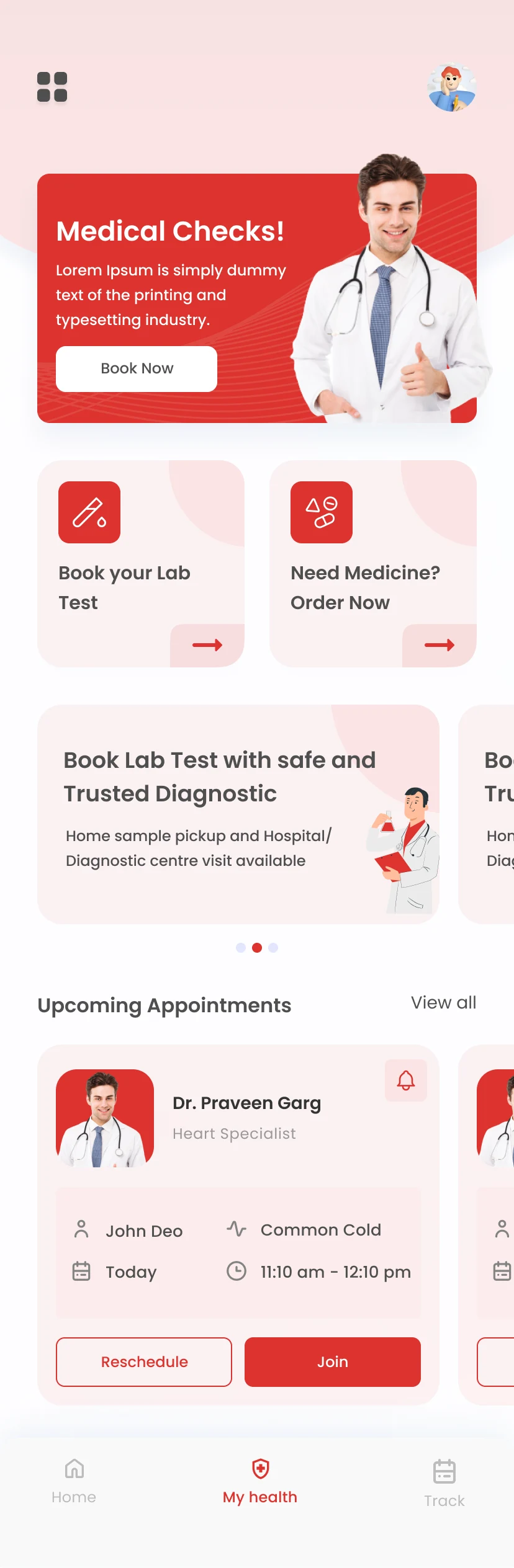
The home screen needed to combine service discovery, health actions, and appointment visibility while still feeling calm and easy to scan.
Primary healthcare actions are surfaced early on the first scroll
Appointment cards keep timing, doctor details, and next actions visible
Visual grouping helps services feel more approachable
The dashboard balances discovery and management in one place
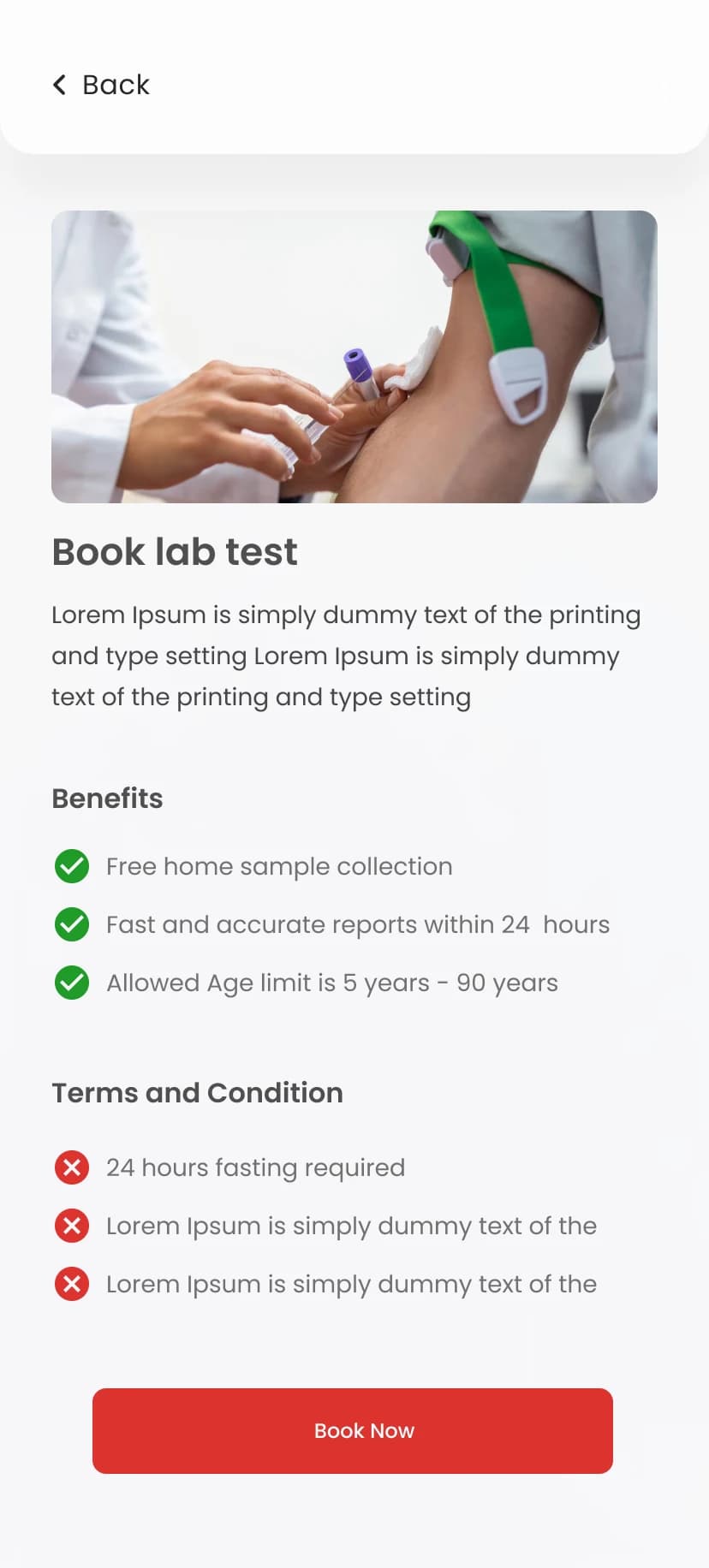
Healthcare service information was simplified into one readable screen so users could understand benefits, requirements, and the next action quickly.
Benefits and conditions are separated for faster understanding
The main CTA stays obvious after users review the details
Medical information is structured into simple, scannable blocks
The screen supports clearer decision-making before booking
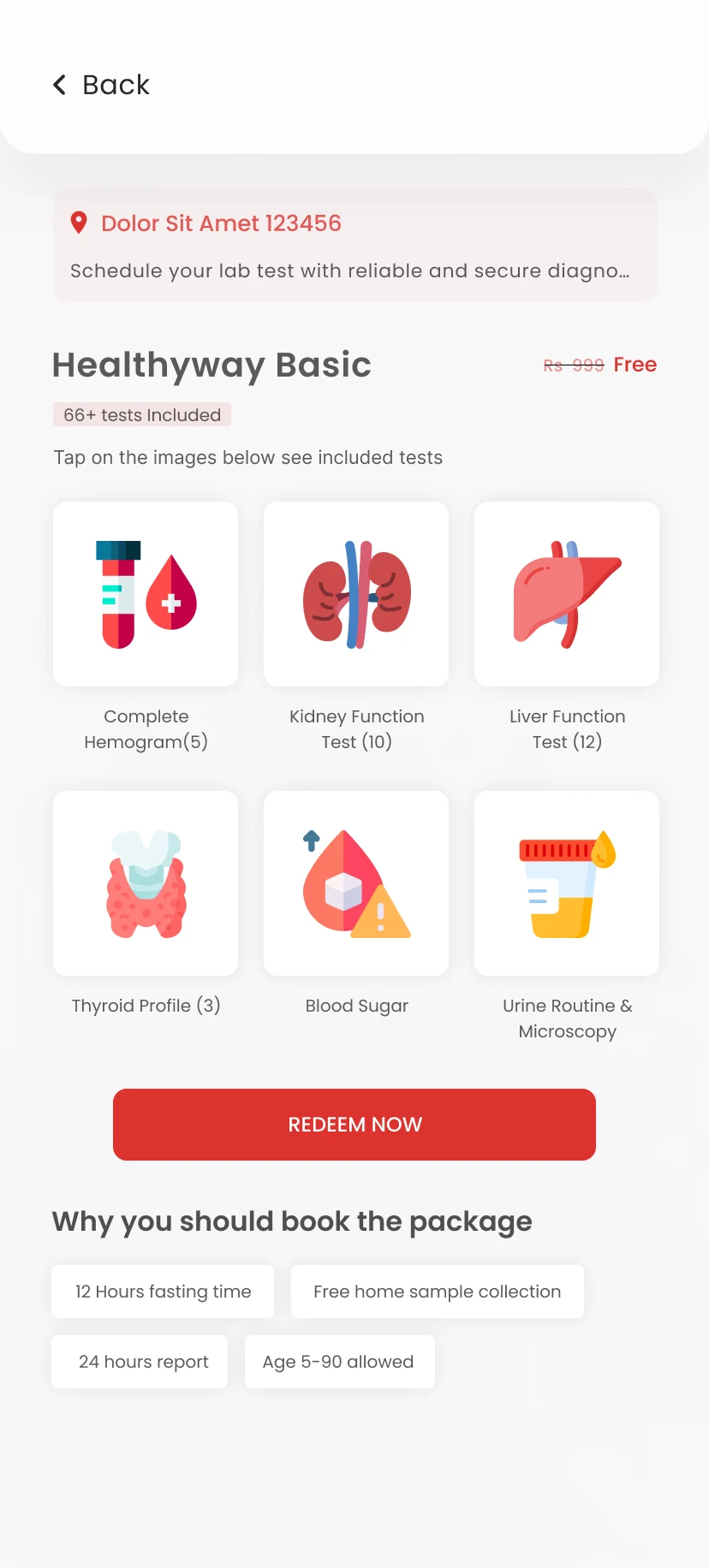
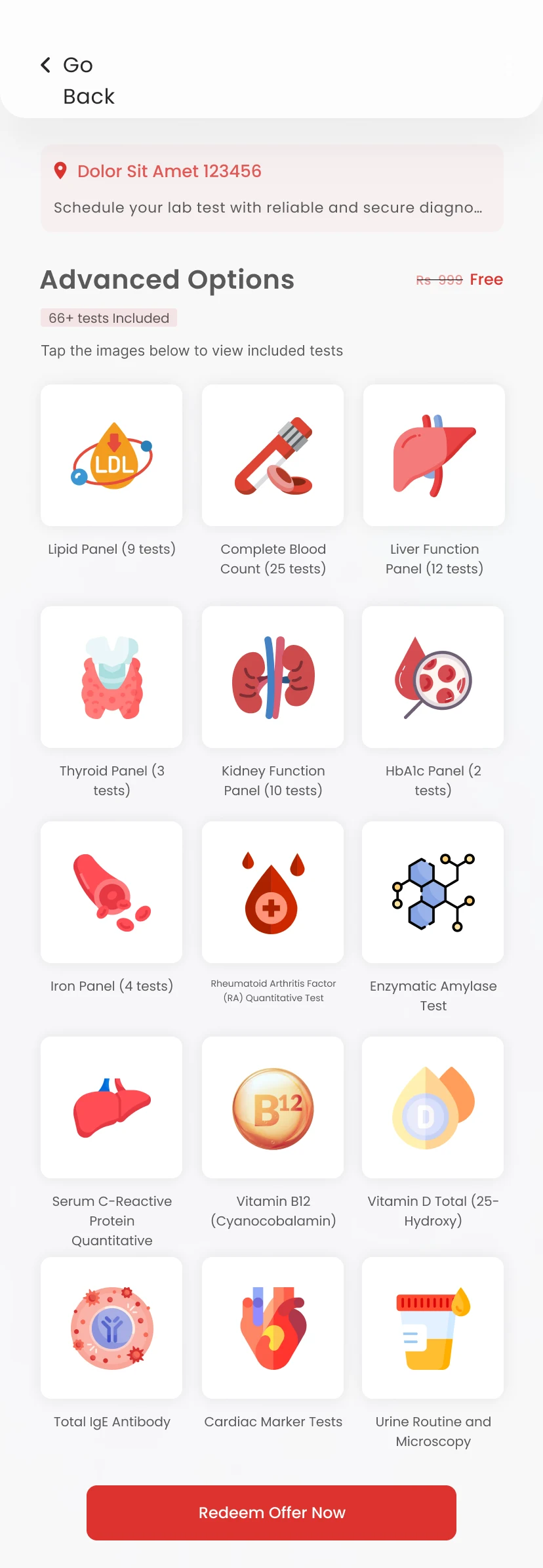
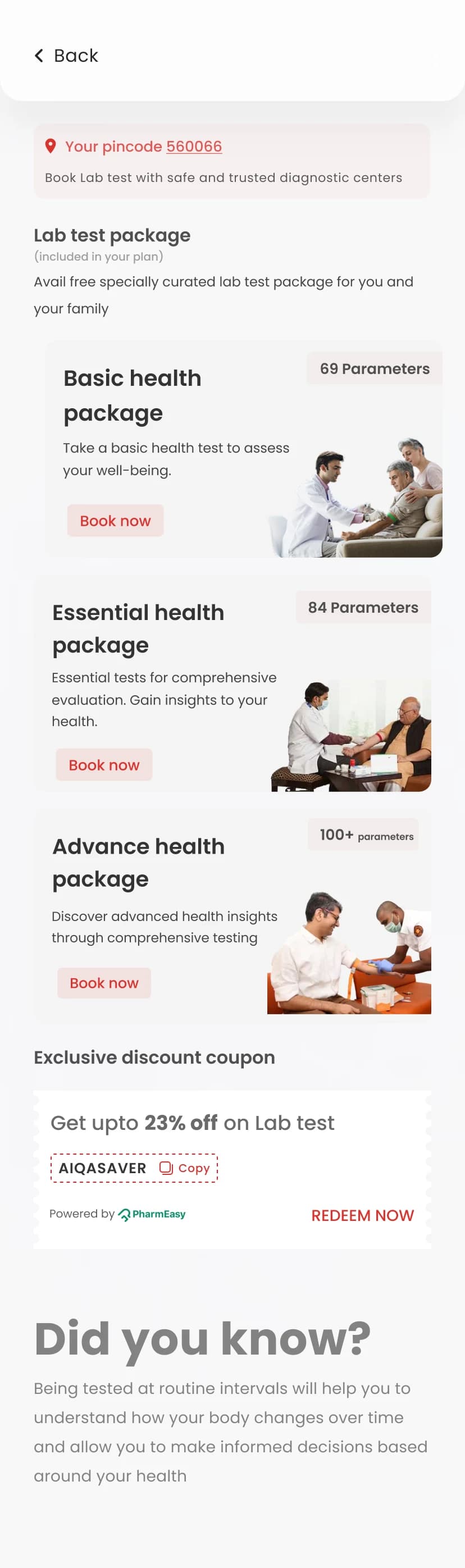
Health package discovery needed to feel guided so users could compare tests, understand value, and move forward with more confidence.
Included tests are grouped visually instead of hidden in dense lists
Price and package scope stay visible in the same decision zone
Supportive benefit chips reduce uncertainty before users commit
The flow helps users evaluate healthcare value more easily
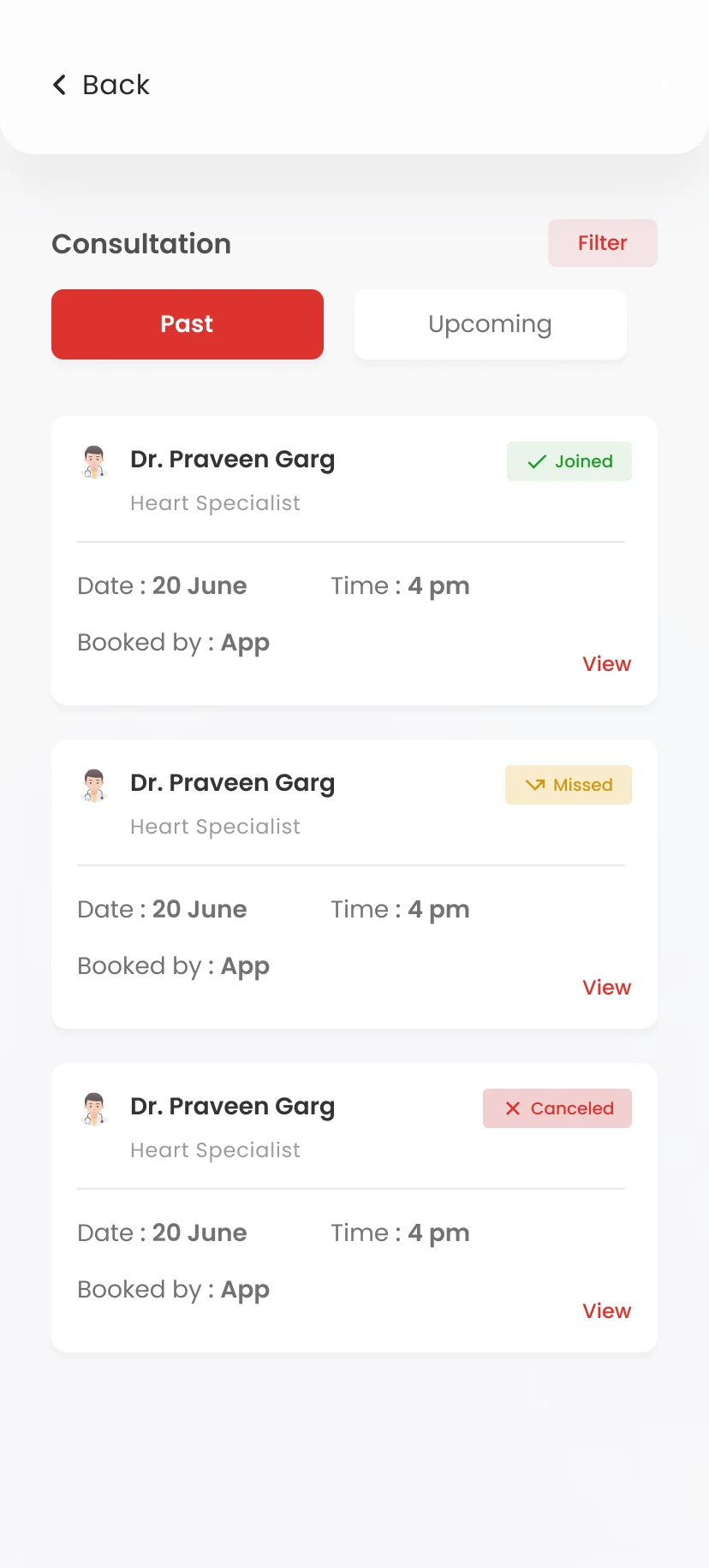
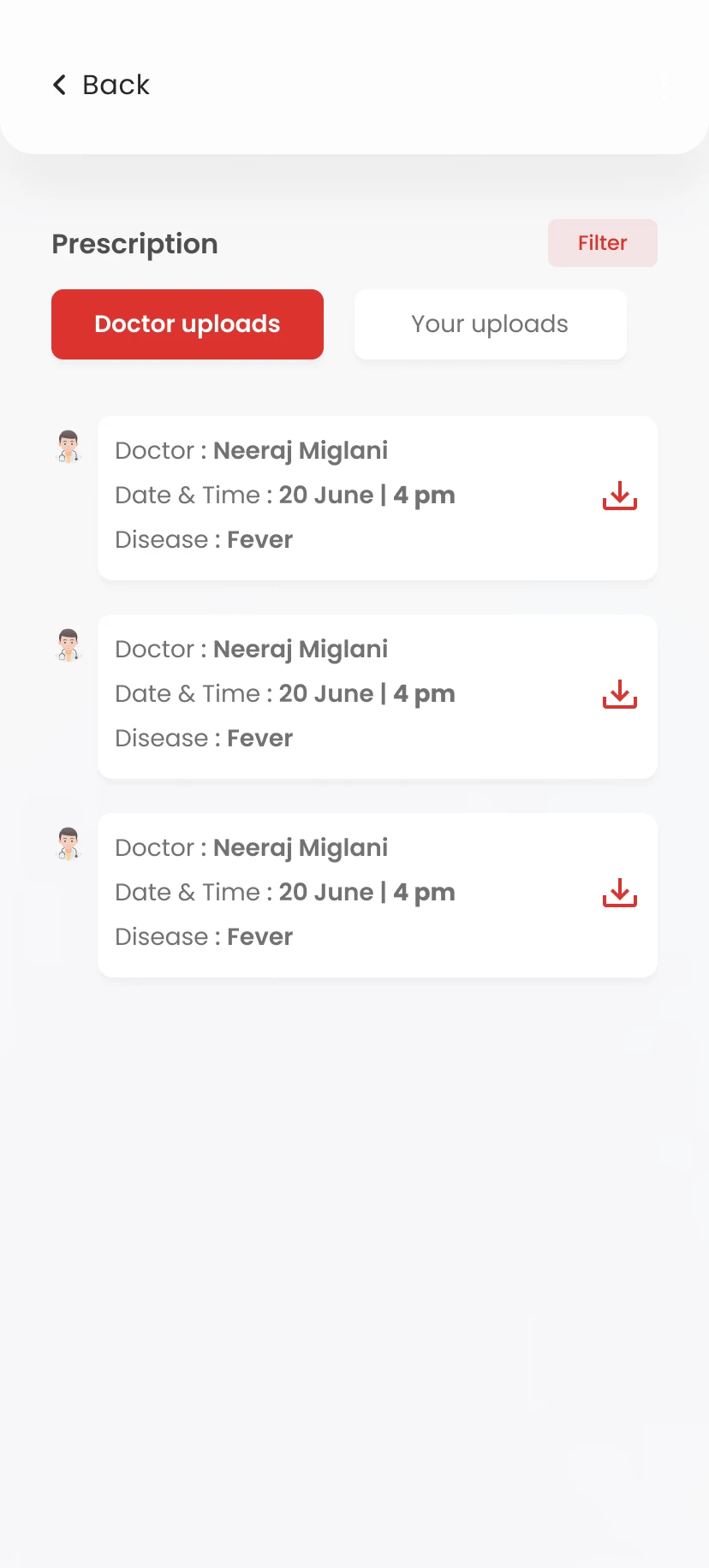
Past and upcoming consultations were designed to feel structured and easy to revisit so users always know their appointment status.
Status labels make outcomes readable at a glance
Cards keep the most important booking details grouped together
The view supports both reassurance and easy follow-up
Users can review healthcare history without hunting for details
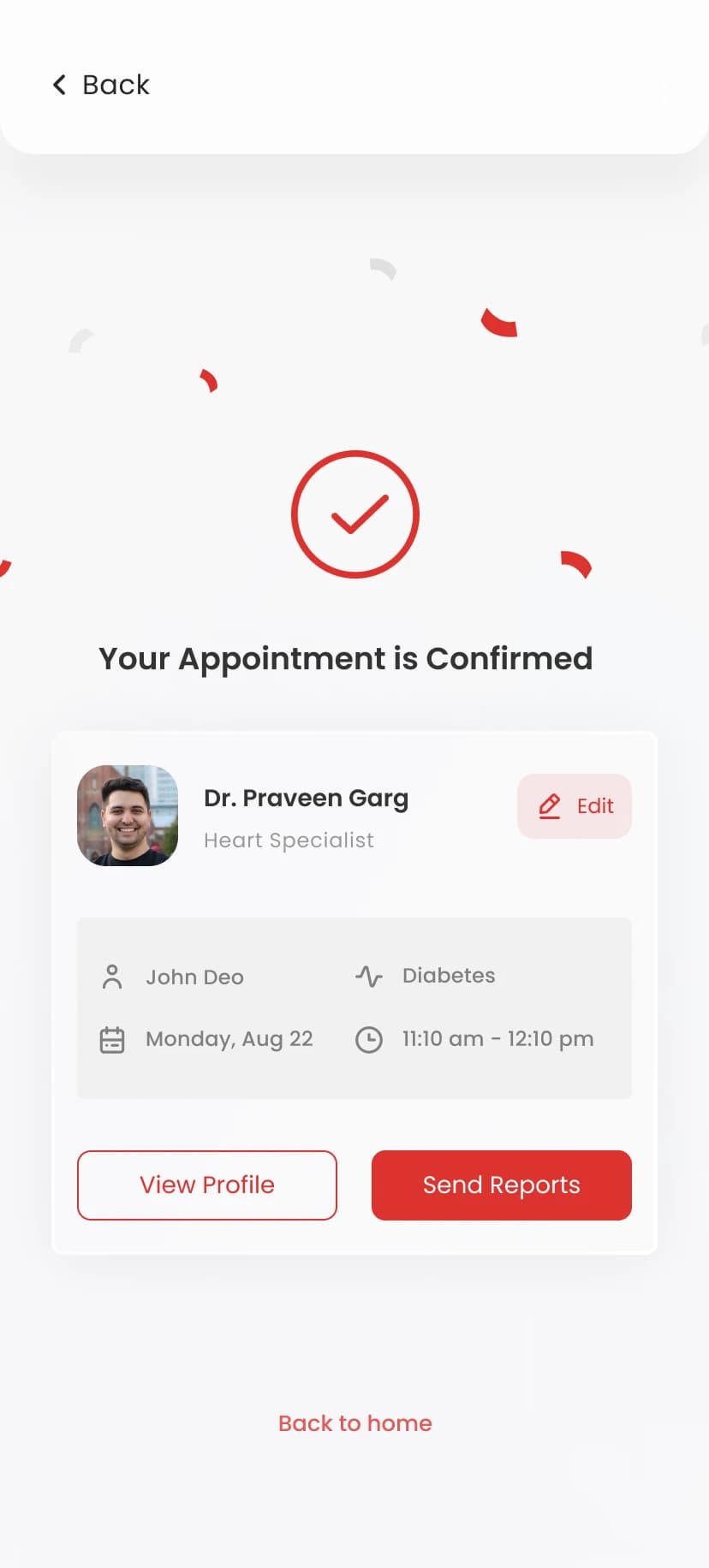
The confirmation screen was designed to reduce anxiety after booking by clearly showing the doctor, timing, and next actions in one reassuring state.
The success state gives immediate emotional reassurance
Appointment details stay visible without needing another tap
Next-step CTAs help users continue smoothly after booking
The screen closes the journey with clarity and confidence
User Persona
Neha Sharma
29 · Working Professional
Goals
Find healthcare services quickly
Book appointments without confusion
Understand service details clearly
Keep track of health updates
Frustrations
Too many steps before booking
Confusing medical language
Unclear service details
Lack of trust in digital healthcare apps
“I want to find the right care quickly without feeling confused or unsure.”
User Stories
As a user, I want to understand available healthcare services clearly so I can choose the right one.
As a patient, I want to book an appointment easily without going through too many steps.
As a first-time user, I want the app to guide me so I know what to do next.
As a returning user, I want to quickly access my appointments and health information.
Journey
Open App
neutralActions
User launches the app
Understands the main purpose quickly
Pain points
Needs immediate clarity on what the app helps with
Onboard
neutralActions
Signs up
Sets basic profile details
Reaches the home screen
Pain points
Onboarding must feel short and supportive
Explore Services
neutralActions
Browses healthcare services
Reviews consultation options
Pain points
Service discovery should not feel dense or unclear
Book Care
negativeActions
Selects a service
Checks details
Completes the booking flow
Pain points
Users need confidence before the final booking action
Manage
positiveActions
Views appointment status
Checks updates
Opens profile details
Looks at next steps
Pain points
Post-booking actions must stay clean and easy to revisit
How Might We
How might we make healthcare service discovery feel simple and less stressful?
How might we help users complete booking without confusion?
How might we build trust through interface, content, and flow design?
Problem Statement
Users need healthcare apps to feel simple, trustworthy, and easy to act on, especially when they are searching for care or booking a service. Aiqahealth needed a mobile experience that reduces confusion and helps users move through healthcare actions with confidence.
Hypothesis
If healthcare services, booking steps, and user information are presented through a clean and guided mobile experience, users will feel more confident using the app.
Value
Simple Onboarding
A smoother first-time experience that helps users enter the app without friction.
Clear Service Discovery
Healthcare services presented in a way that is easy to understand and act on.
Guided Booking Flow
Step-based appointment flow with clear actions and confirmation.
Trust-first Interface
Clean UI, readable content, and reassuring design patterns for healthcare users.
Competitive Scan
Practo
Strong healthcare discovery, but can feel information-heavy.
Apollo 24/7
Wide healthcare ecosystem, but multiple services can make the journey feel dense.
Tata 1mg
Useful health services and medicine access, but discovery can feel commerce-led.
User Flows
App Flow
Returning User Flow
Design decisions
Challenge
Healthcare apps need to show important information without making the experience feel complex or stressful.
Approach
I focused on clean layouts, simple navigation, clear CTAs, readable content, and guided booking steps.
Result
The final app experience feels calmer, easier to navigate, and more supportive for users looking to access healthcare services.
Deliverables
Focus areas
Project type
HEALTHCARE / MOBILE APP EXPERIENCE
Timeline
Healthcare app UX design
Platform
Mobile App
Role
UI/UX Designer
Final Output
The final interface brings together onboarding, healthcare discovery, package understanding, consultations, booking confirmation, and post-care management into one consistent mobile experience.