01
Challenge
The platform had multiple roles and workflows, so the experience could easily become confusing.
MENTAL WELLNESS / TELETHERAPY PLATFORM
Timeline
Website & Dashboard UI/UX Design
Role
UI/UX Designer
Focus
Outcomes
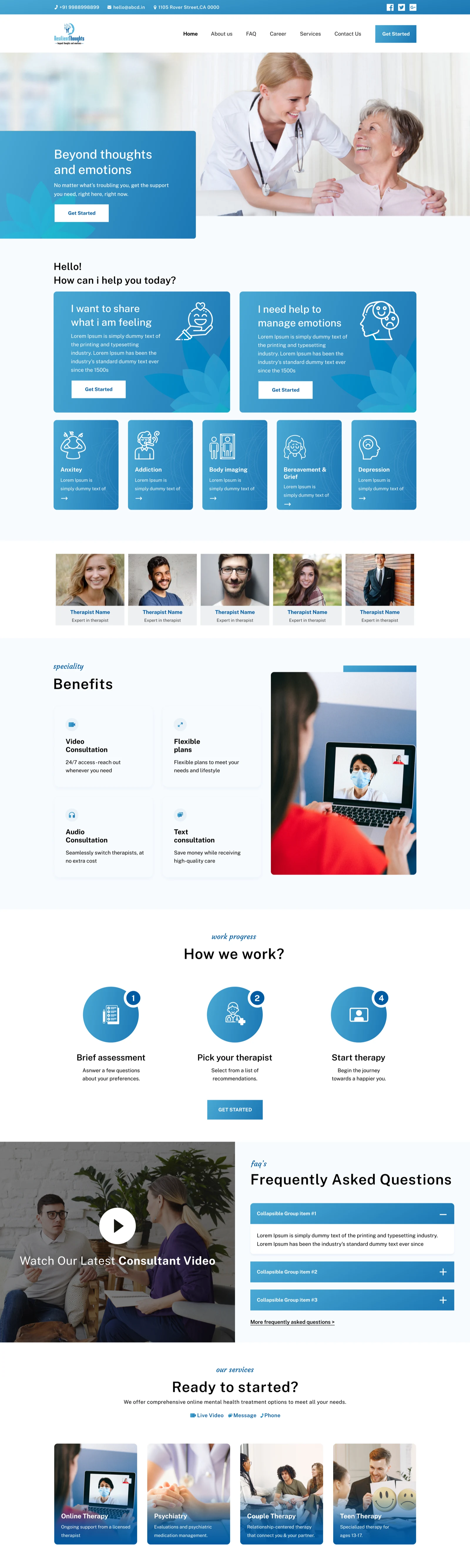
Resilient Thoughts is an online mental wellness platform designed to help users explore therapy support, choose psychologists, manage subscriptions, book sessions, and attend consultations. I worked on the website, user dashboard, psychologist dashboard, and admin dashboard to create a connected therapy experience across different user roles.
Synopsis
Resilient Thoughts needed a connected product system where the public website, client dashboard, psychologist workspace, and admin controls all supported the same therapy journey without making the experience feel intimidating or operationally heavy.
Design Process
Discover
Understood the mental wellness journey, user needs, therapy booking flow, psychologist workflow, and admin operations.
Define
Mapped the key product areas: website discovery, user onboarding, therapist selection, subscriptions, bookings, video sessions, and admin management.
Ideate
Explored layouts for landing pages, dashboards, booking flows, subscription cards, verification screens, and consultation states.
Design
Created clean website pages and role-based dashboards with clear navigation, soft visual hierarchy, and action-focused layouts.
Review
Checked the experience for clarity, trust, accessibility, dashboard usability, and flow consistency.
Handoff
Prepared website screens, dashboard modules, reusable components, and development-ready design assets.
Research Insights
Mental health users need reassurance before starting therapy.
Users should be guided toward help without feeling overwhelmed.
Psychologists need quick access to bookings, clients, availability, and session details.
Admins need structured dashboards to manage psychologists, bookings, revenue, transactions, and verification.
Opportunity Map
Discover
Help users understand therapy services and available support options through the website.
Book
Make therapist selection, appointment booking, rescheduling, and subscriptions easier to manage.
Consult
Support video consultation and session-related actions through a clean user dashboard.
Manage
Give psychologists and admins clear tools to handle bookings, clients, verification, revenue, and platform operations.
Empathy Map
Says
“I want support”
“I need the process to feel simple”
“I want to trust the therapist before I book”
Thinks
“Will this platform feel safe?”
“Can I manage this without confusion?”
“Will I be locked into the wrong therapist?”
Does
“Reads FAQs and support information first”
“Compares psychologists before making a decision”
“Checks plans, timings, and reschedule options carefully”
Feels
“Cautious but hopeful”
“Easily overwhelmed by complexity”
“More confident when flows are structured and calm”
User Persona
Sarah Miller
30 · Working Professional
Goals
Frustrations
Their words
“I want support, but the platform should feel safe, clear, and easy before I book a session.”
User Stories
As a user, I want to explore therapy options so I can understand what kind of support I need.
As a user, I want to choose a psychologist and book a session without confusion.
As a psychologist, I want to manage bookings and clients from one dashboard.
As an admin, I want to verify psychologists, monitor bookings, and track platform revenue clearly.
User Journey Map
Discover
neutralActions
User lands on the website
Reads therapy information and support categories
Pain points
Needs reassurance before going deeper
Explore Support
neutralActions
Views psychologist profiles
Checks therapy categories, benefits, and FAQs
Pain points
Could lose confidence if the information feels heavy
Subscribe / Book
negativeActions
Purchases a plan
Selects a psychologist
Books or reschedules a session
Pain points
Multiple actions could feel complex without structure
Attend Session
positiveActions
Joins consultation
Uses session-related dashboard actions
Pain points
Needs smooth transitions between dashboard and consultation
Platform Management
neutralActions
Psychologists manage clients and bookings
Admins verify and track operations
Pain points
Operational tasks could become dense without strong hierarchy
How Might We
How might we make online therapy feel more approachable and less intimidating?
How might we help users book and manage sessions with confidence?
How might we design dashboards that support users, psychologists, and admins without making the platform complex?
Problem Statement
Resilient Thoughts needed a complete digital experience for both therapy users and internal platform teams. The product had to support website discovery, user bookings, subscriptions, psychologist workflows, and admin management while keeping the experience calm, structured, and trustworthy.
Hypothesis
If the platform separates each role into clear flows and provides simple dashboards for users, psychologists, and admins, the overall therapy journey will feel easier to understand and manage.
Value Propositions
Guided Therapy Discovery
The website helps users understand therapy services, benefits, FAQs, and available support options.
User-friendly Booking Flow
Users can manage subscriptions, select psychologists, book sessions, reschedule appointments, and join consultations.
Psychologist Dashboard
Psychologists get a structured space to manage bookings, clients, schedules, and session-related details.
Admin Control System
Admins can verify psychologists, manage bookings, track revenue, view transactions, and monitor platform operations.
Competitive Scan
Online Therapy Platforms
Good at therapy discovery
Often complex once users enter booking and dashboard flows
Healthcare Booking Platforms
Strong appointment systems
Not always emotionally sensitive for mental wellness users
Admin-heavy SaaS Dashboards
Operationally useful
Often too dense for non-technical teams
User Flows
Website Flow
User Dashboard Flow
Psychologist Dashboard Flow
Admin Dashboard Flow
Behind the work
Challenge
The platform had multiple roles and workflows, so the experience could easily become confusing.
Approach
I used role-based navigation, clean dashboards, clear status labels, simple cards, structured tables, and action-focused pages to keep every workflow easy to manage.
Result
The final design created a connected platform experience where users, psychologists, and admins could complete their tasks with more clarity and less friction.
Deliverables
Focus areas
Project type
MENTAL WELLNESS / TELETHERAPY PLATFORM
Timeline
Website & Dashboard UI/UX Design
Deliverables
11 items
Platform
Web
Role-based Experience
The final platform experience is structured across distinct user roles so therapy discovery, booking, consultations, psychologist workflows, and admin operations all feel clear inside their own context.
Section 01
The client journey starts with gentle discovery, guided onboarding, therapist selection, subscriptions, and session management designed to feel safe and easy to navigate.
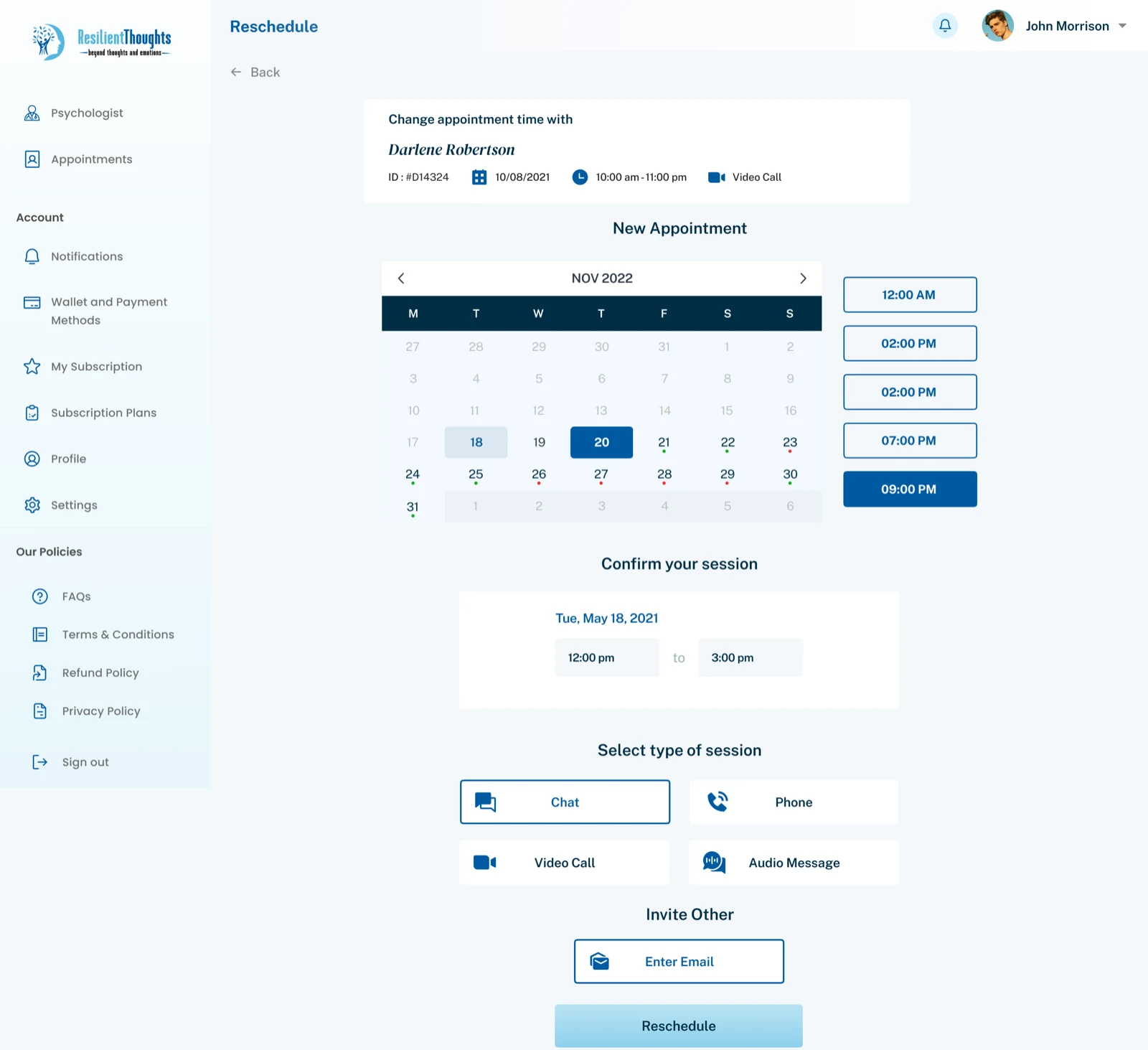
Website discovery experience
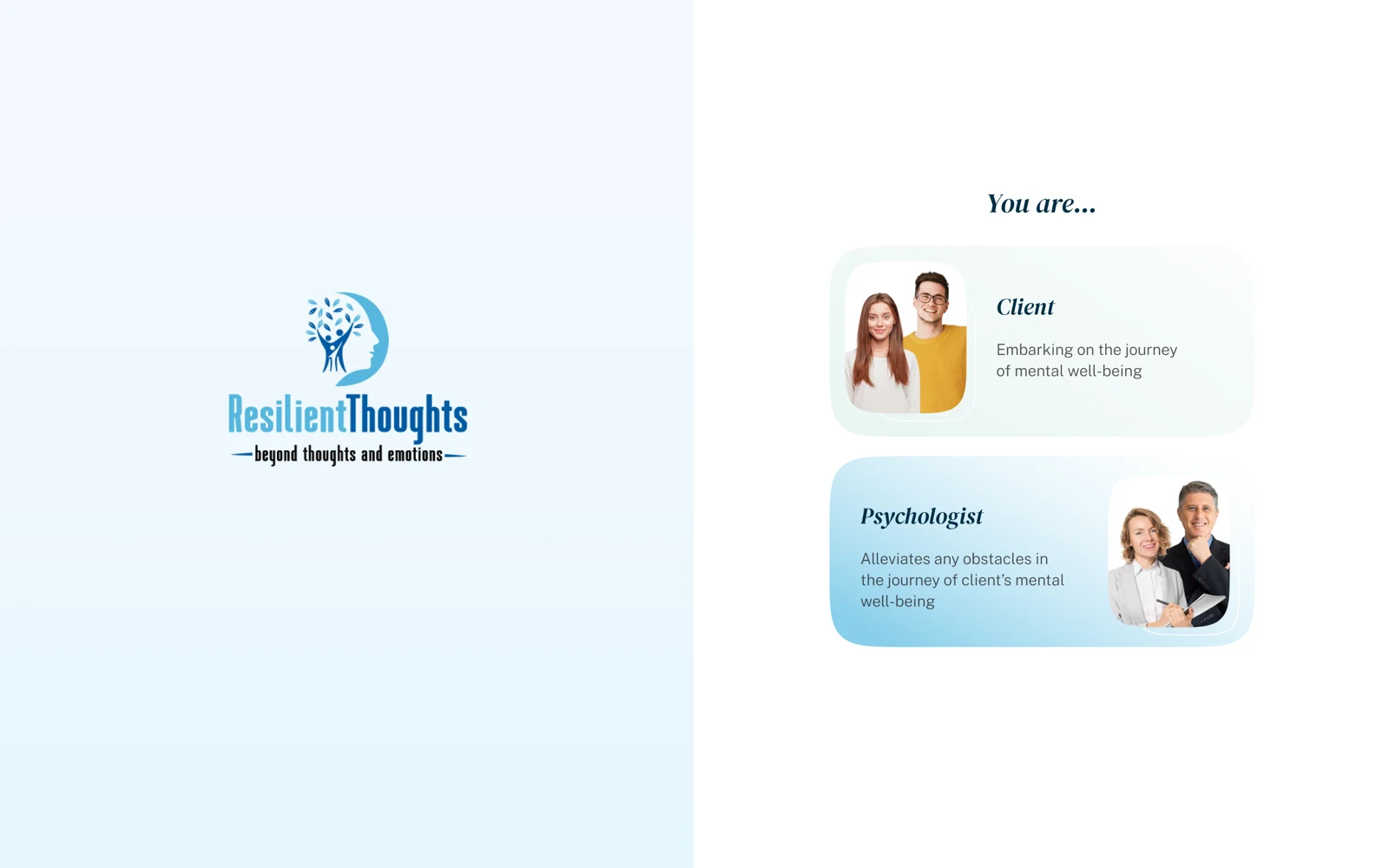
Role-based entry point
Low-friction sign-in
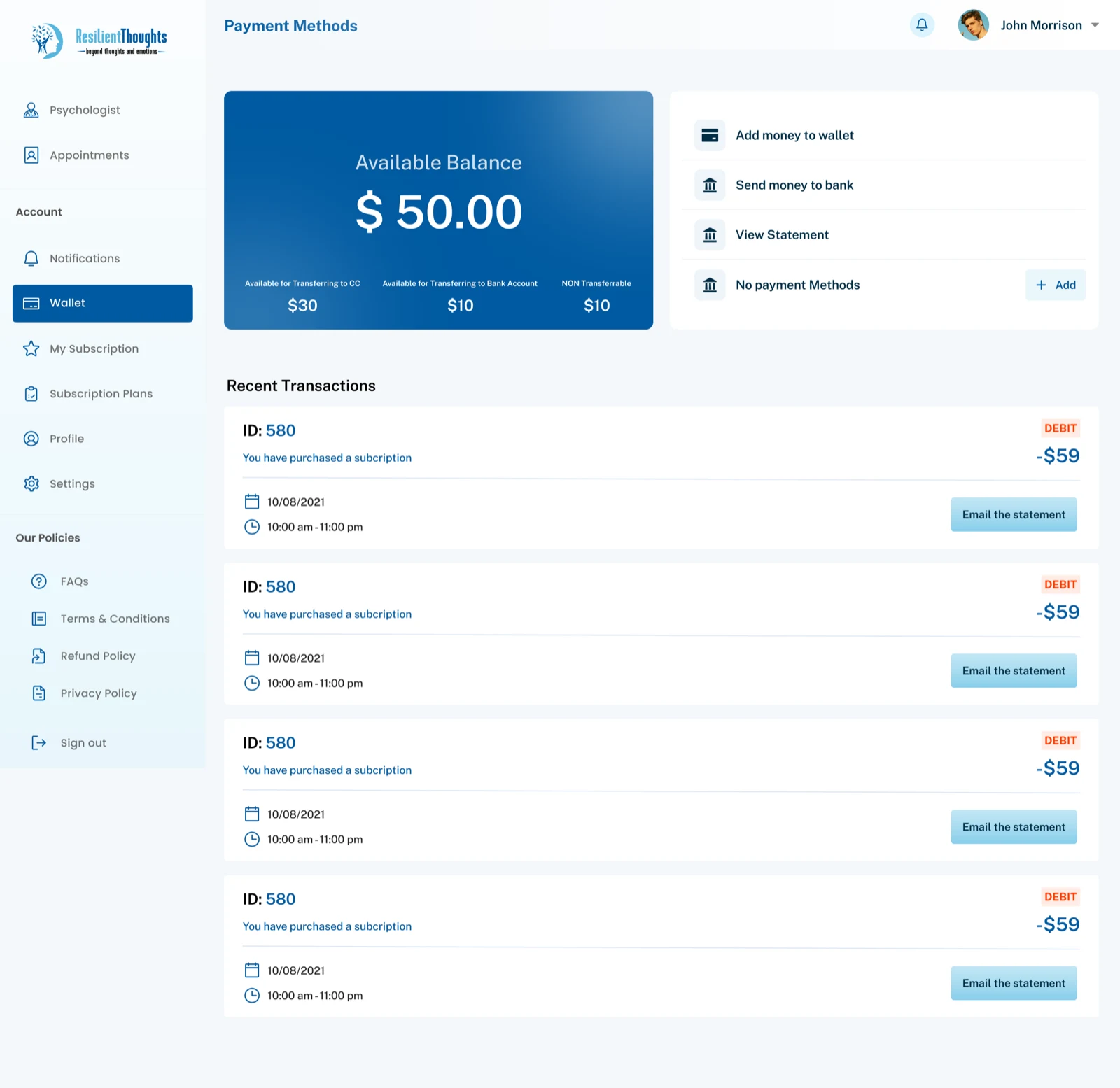
Personal details onboarding
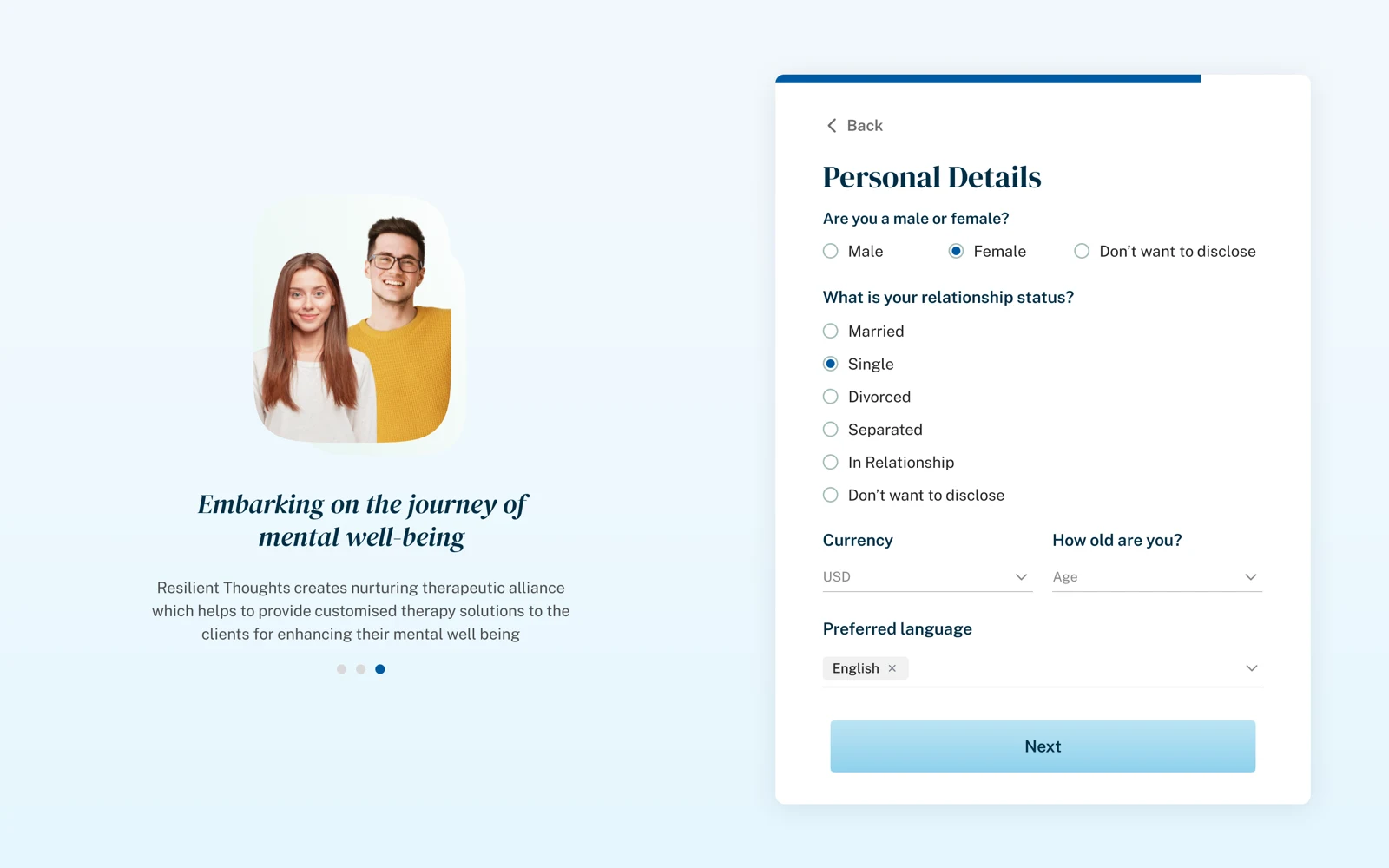
Support questionnaire
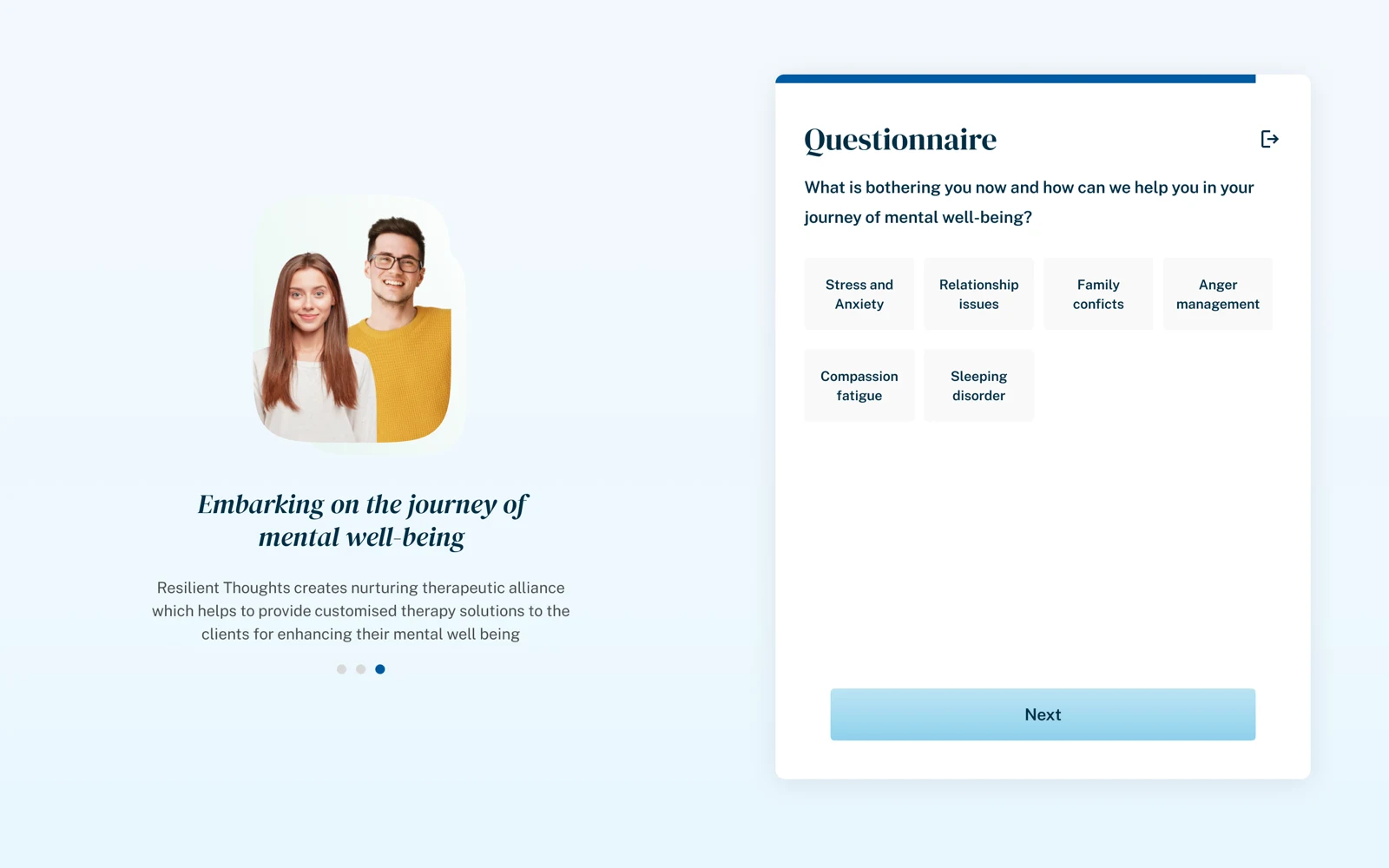
Psychologist discovery dashboard
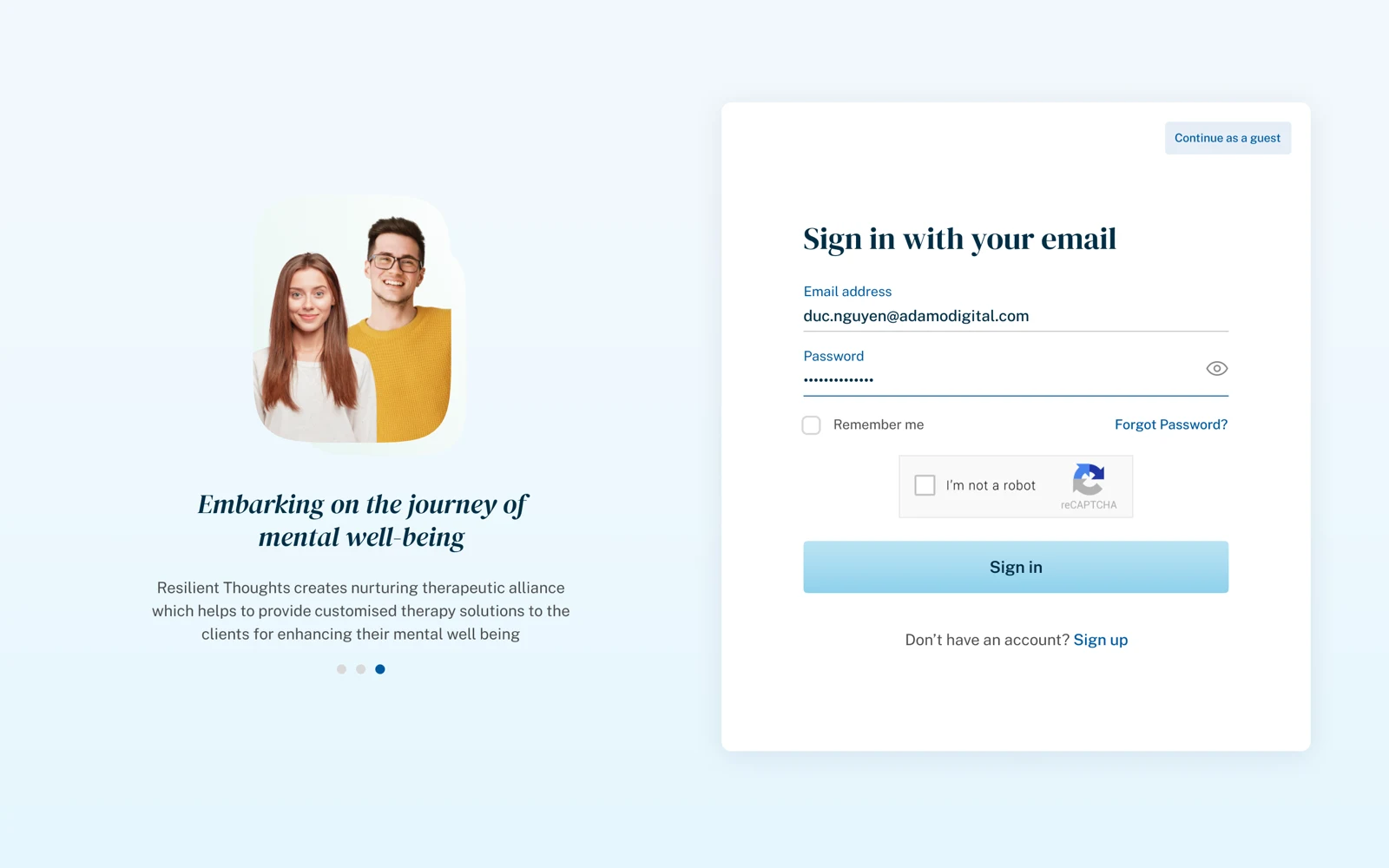
Psychologist profile and trust layer
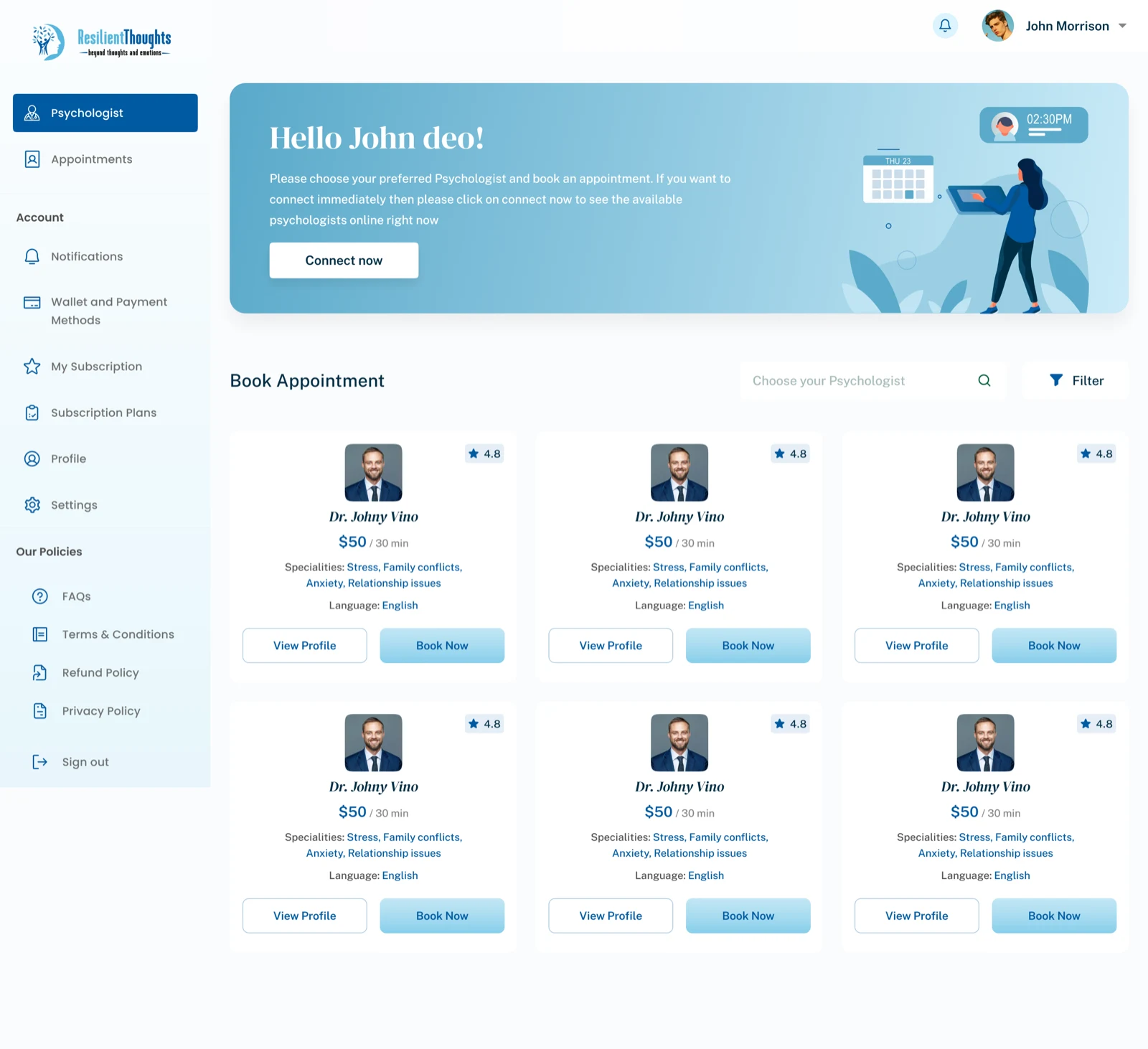
Booking and session setup
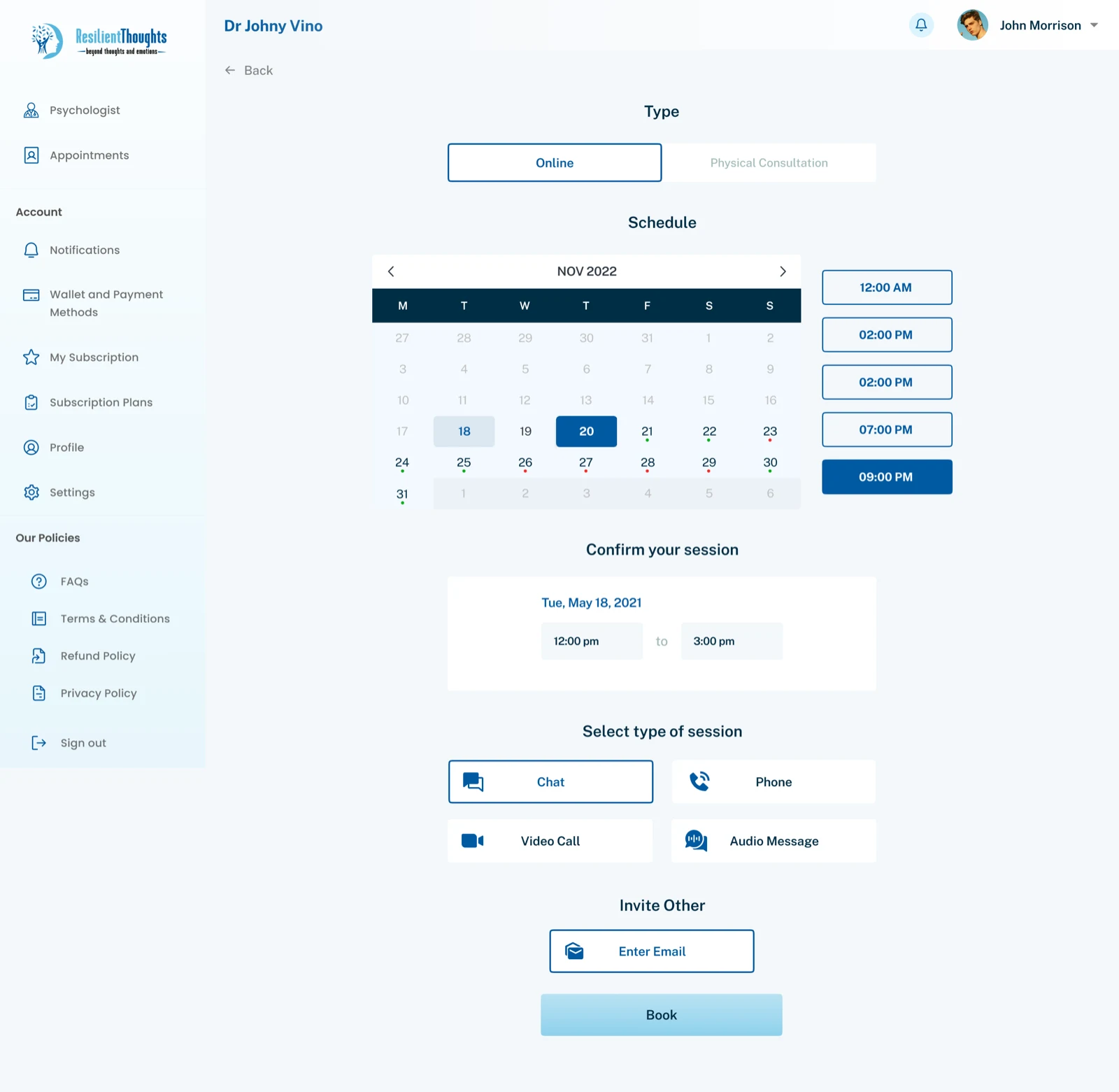
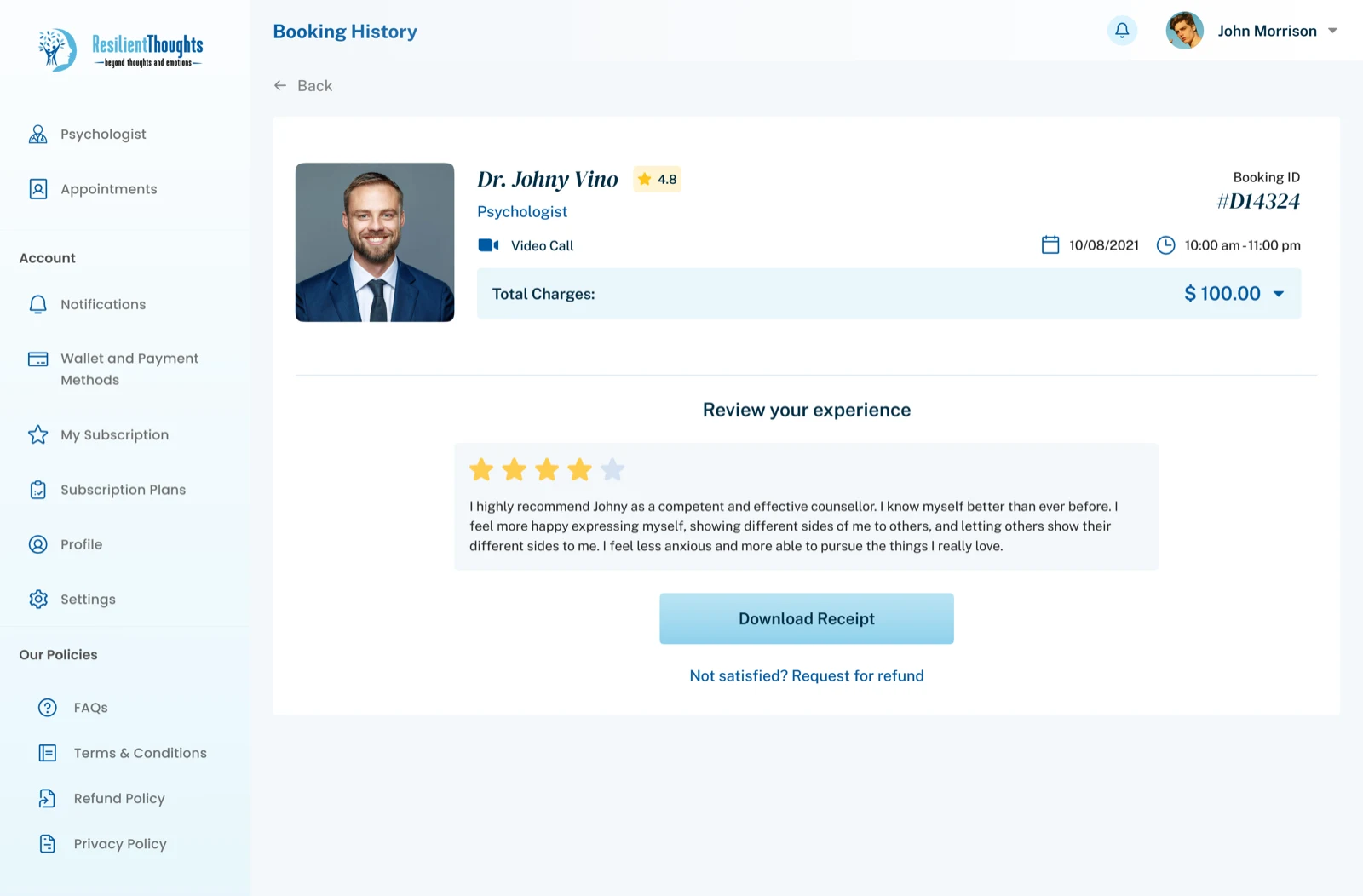
Booking history and feedback
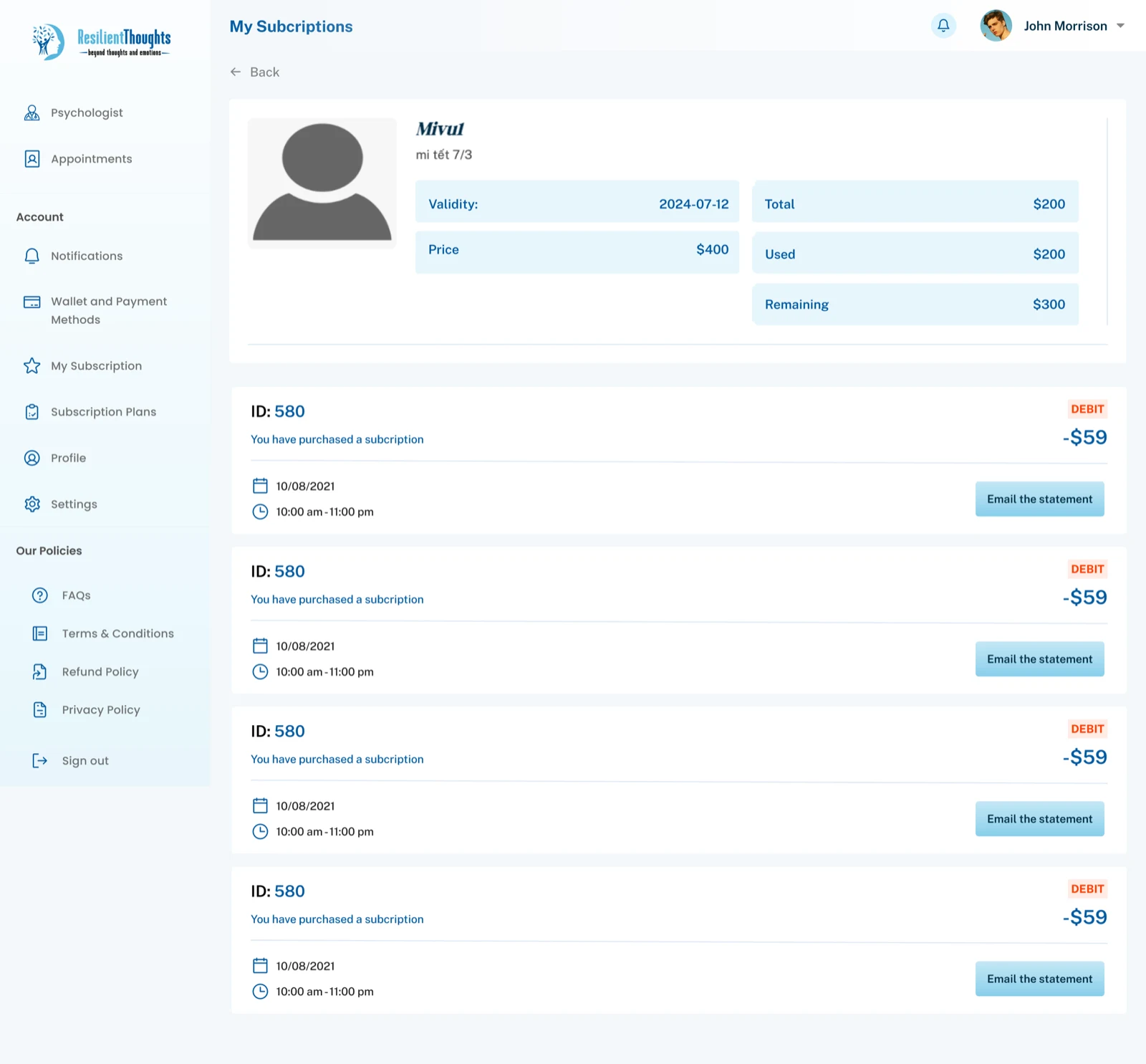
Subscription management
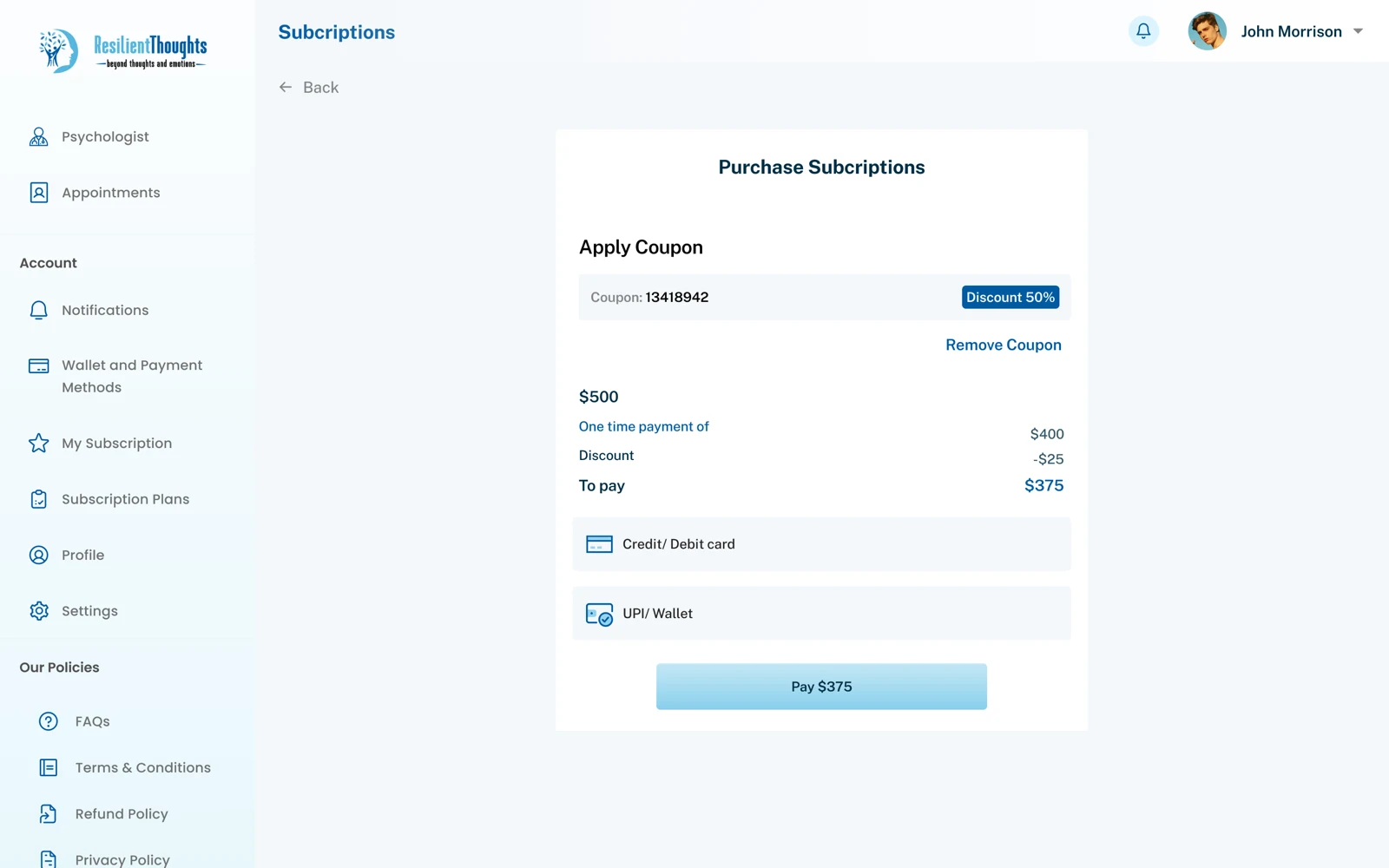
Plan purchase flow
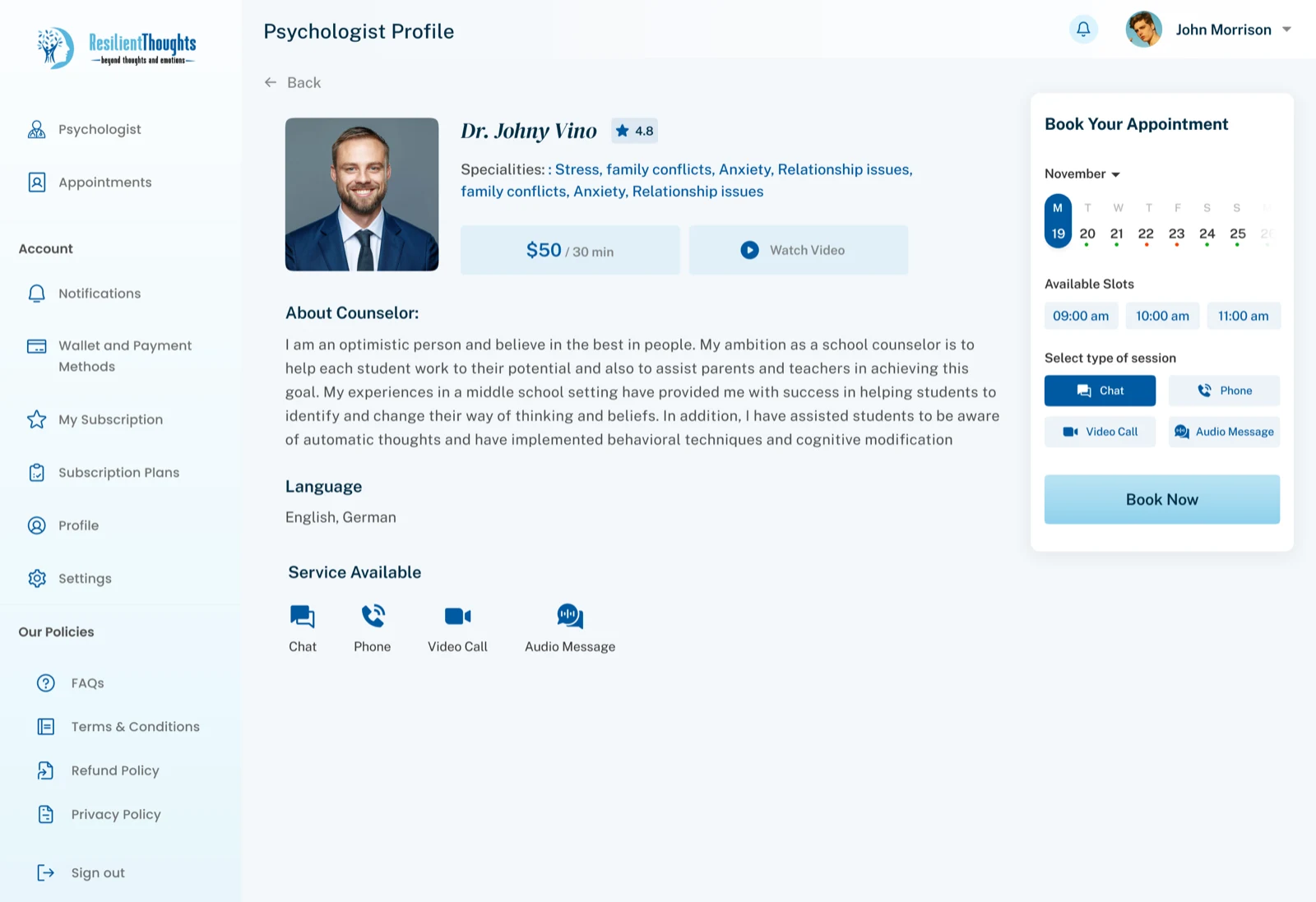
Rescheduling workflow
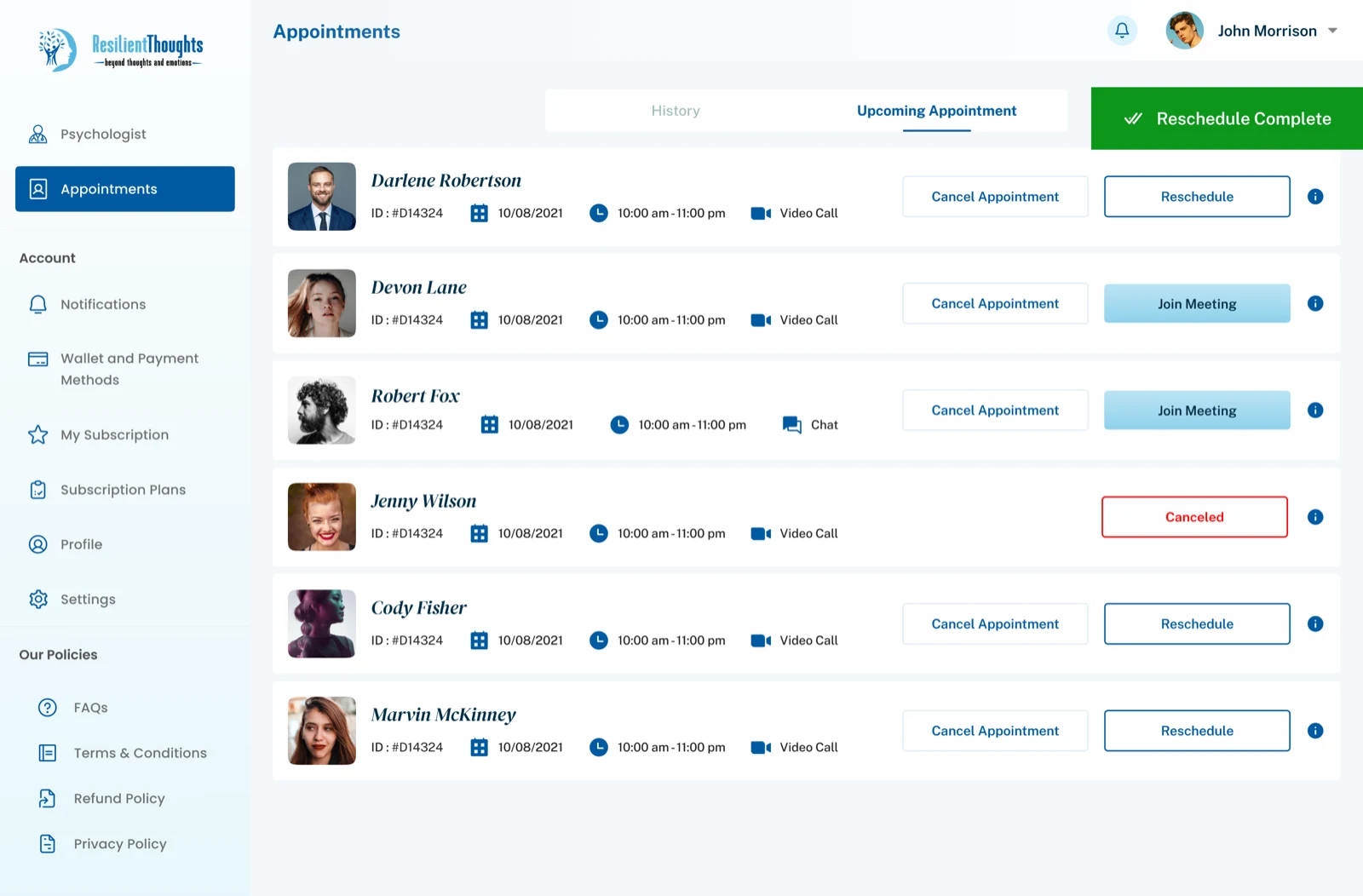
Upcoming appointment management
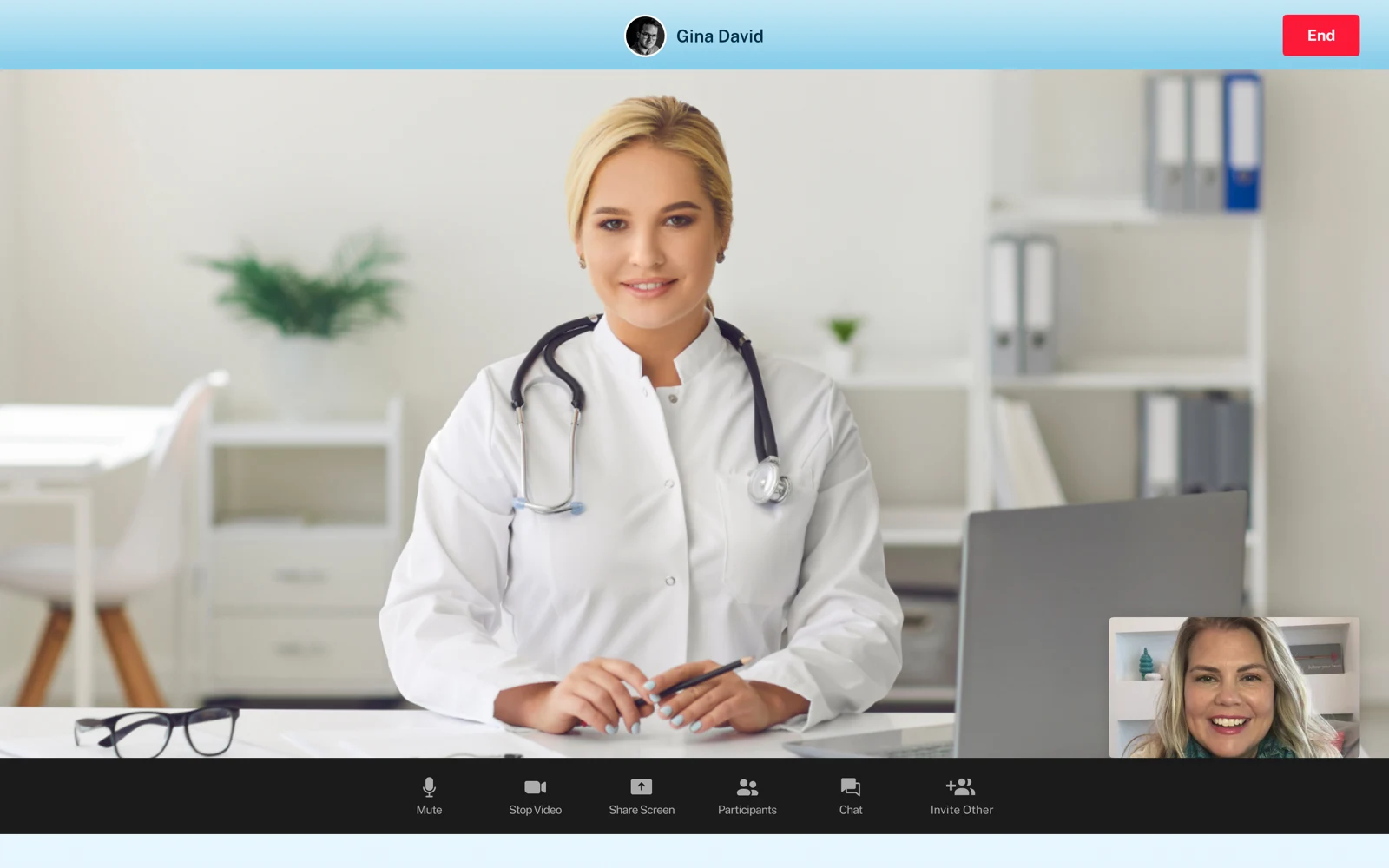
Live video consultation
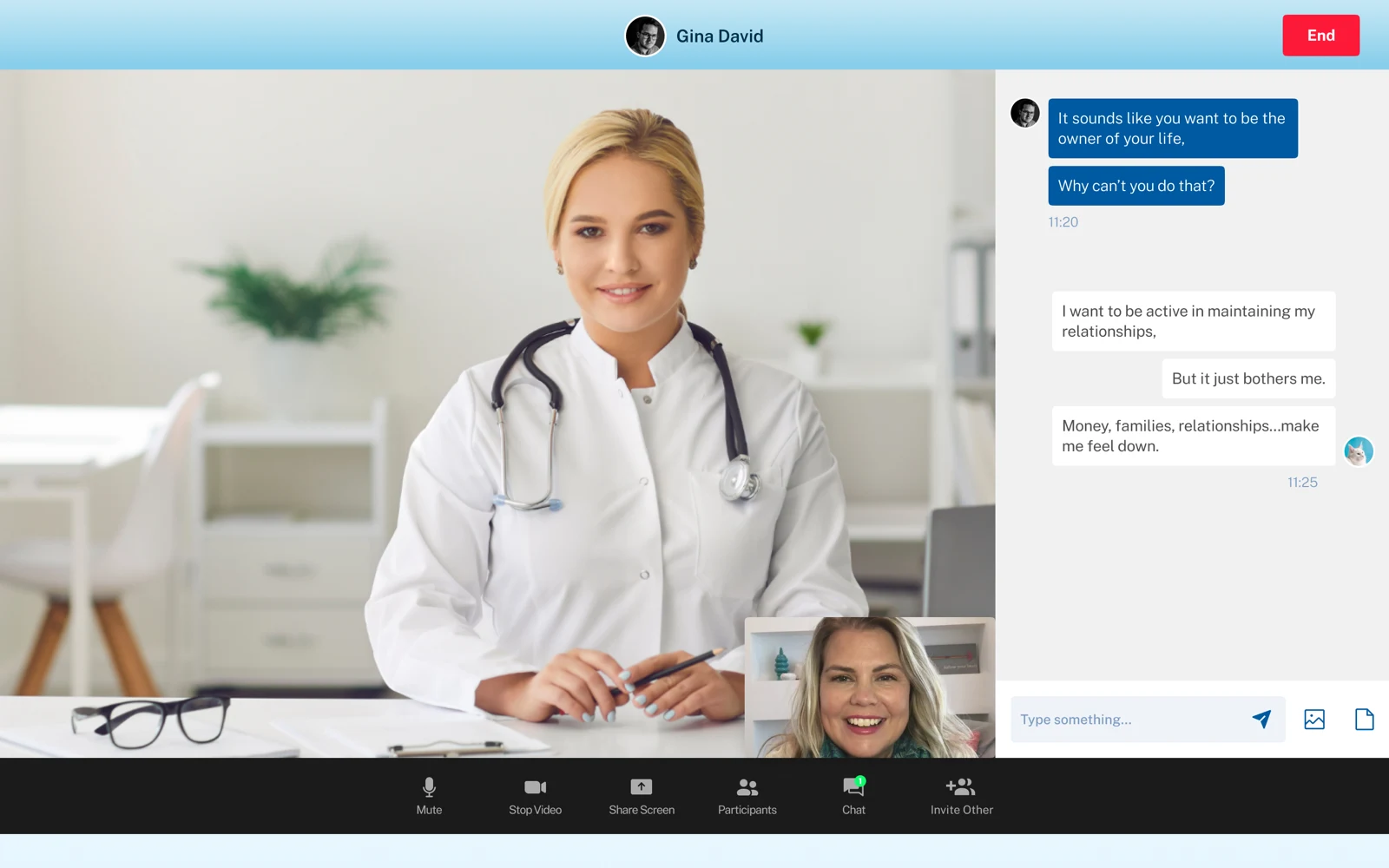
Consultation chat mode
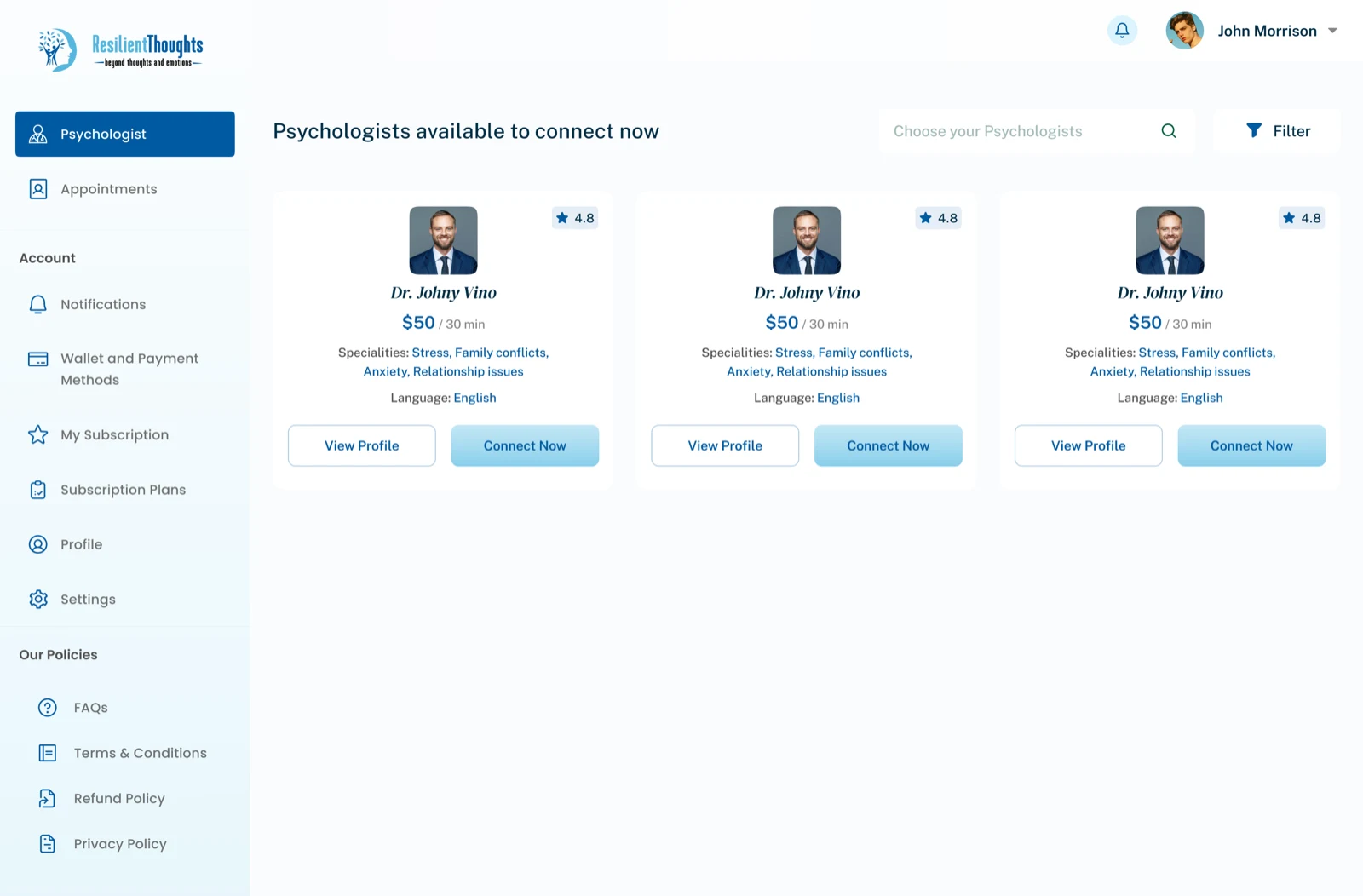
Instant connect support
Section 02
Psychologists need quick access to client context, bookings, consultation details, and transaction history without extra complexity in the workflow.
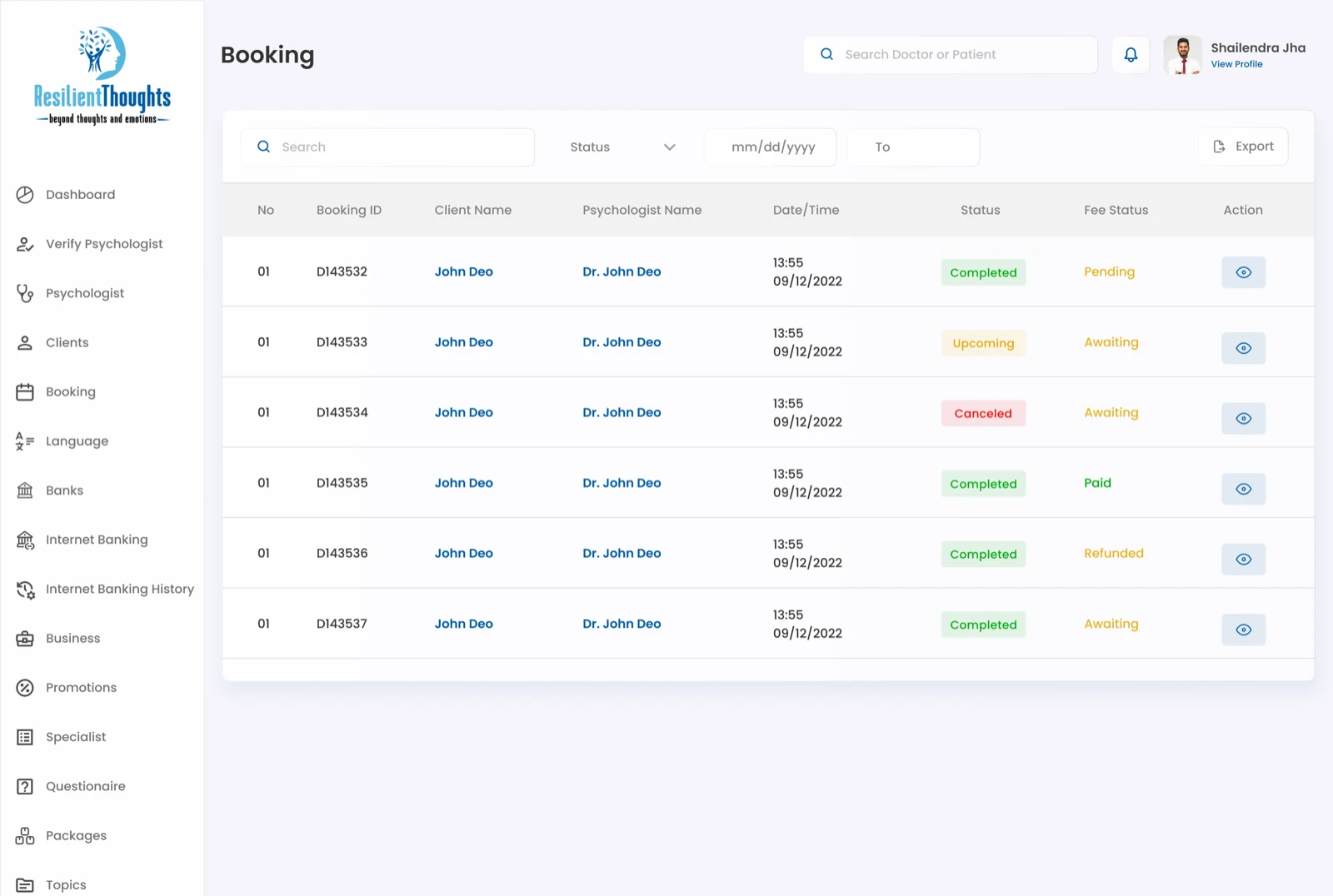
Psychologist booking management
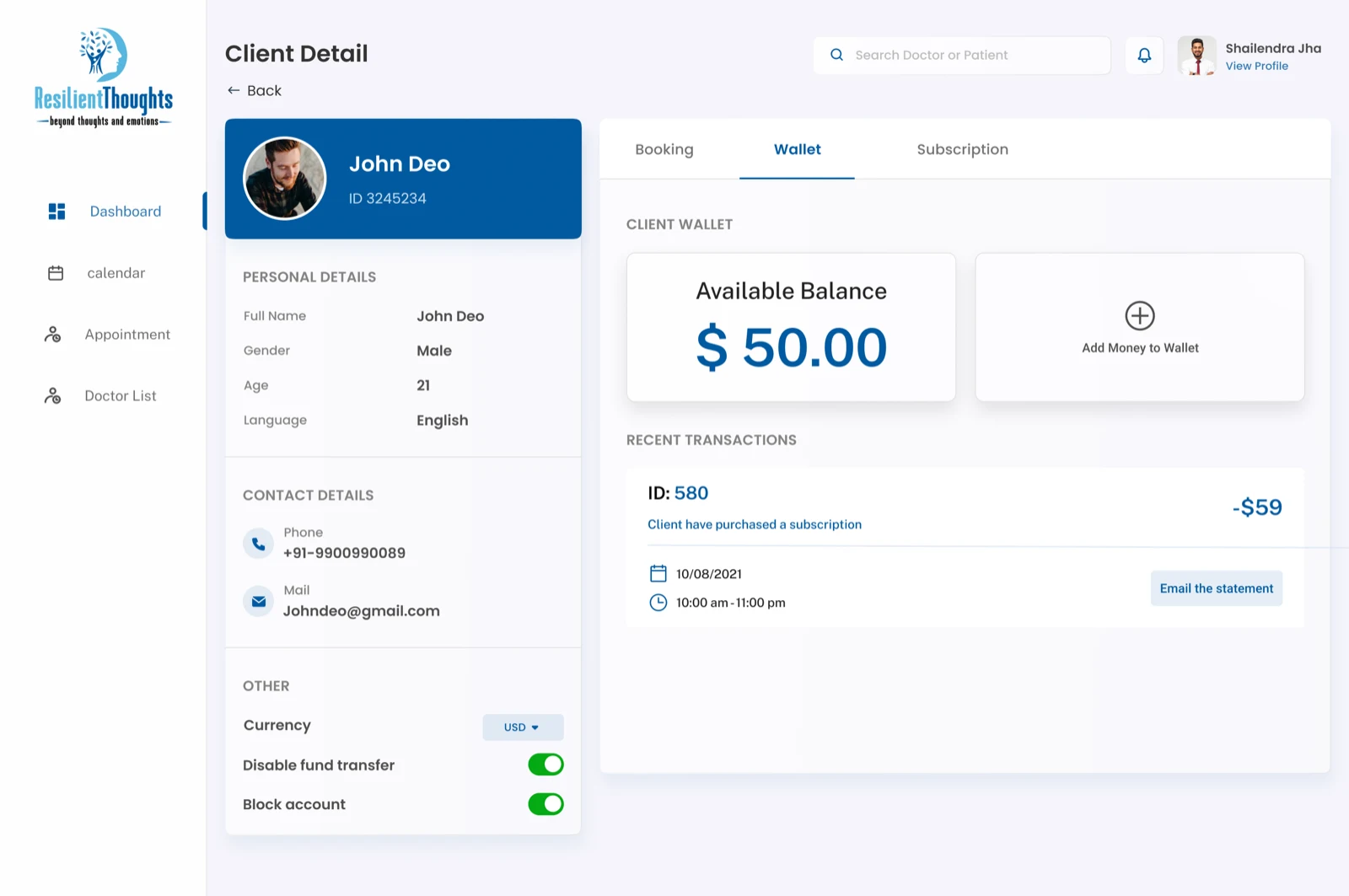
Client detail workspace
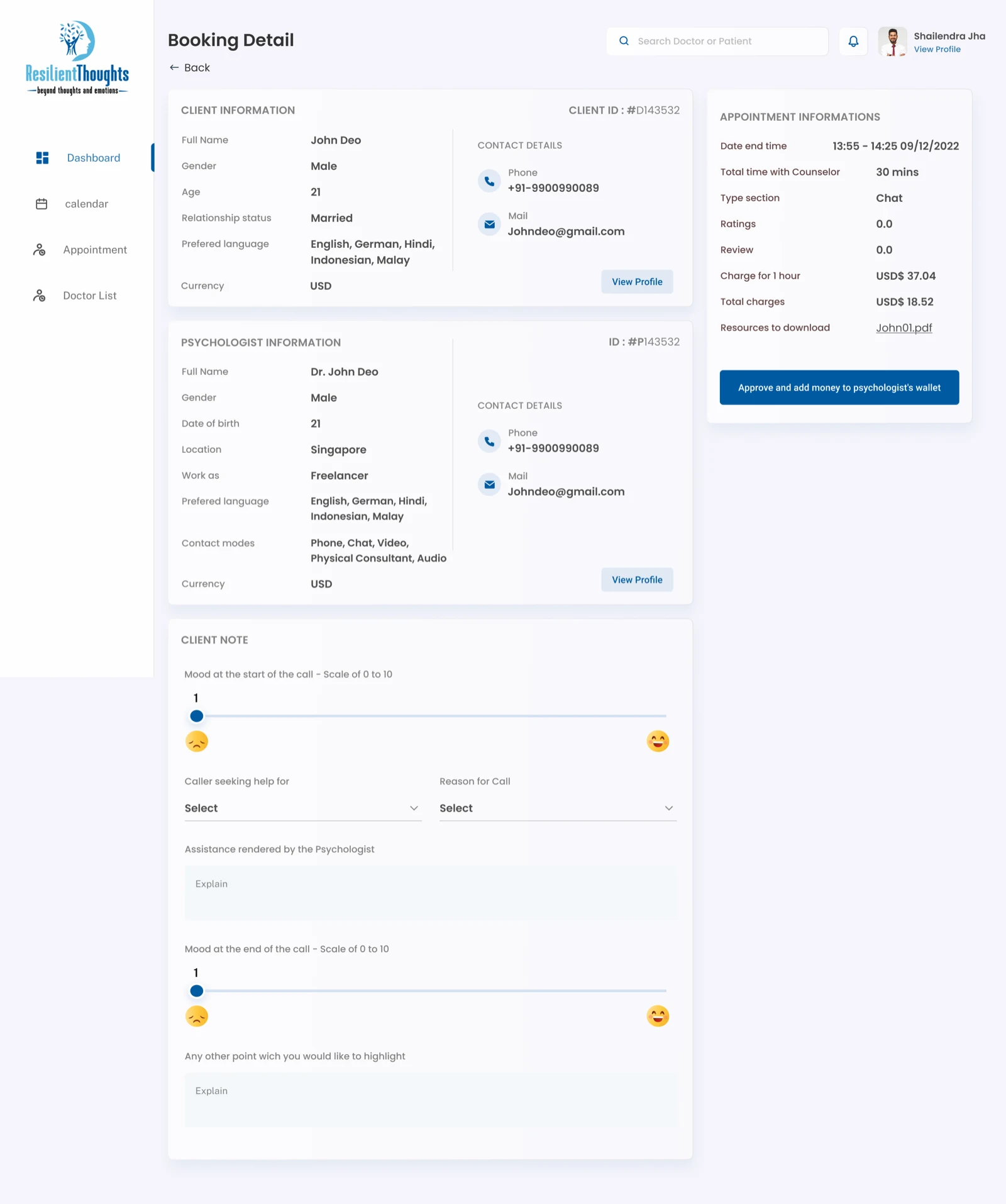
Single booking detail
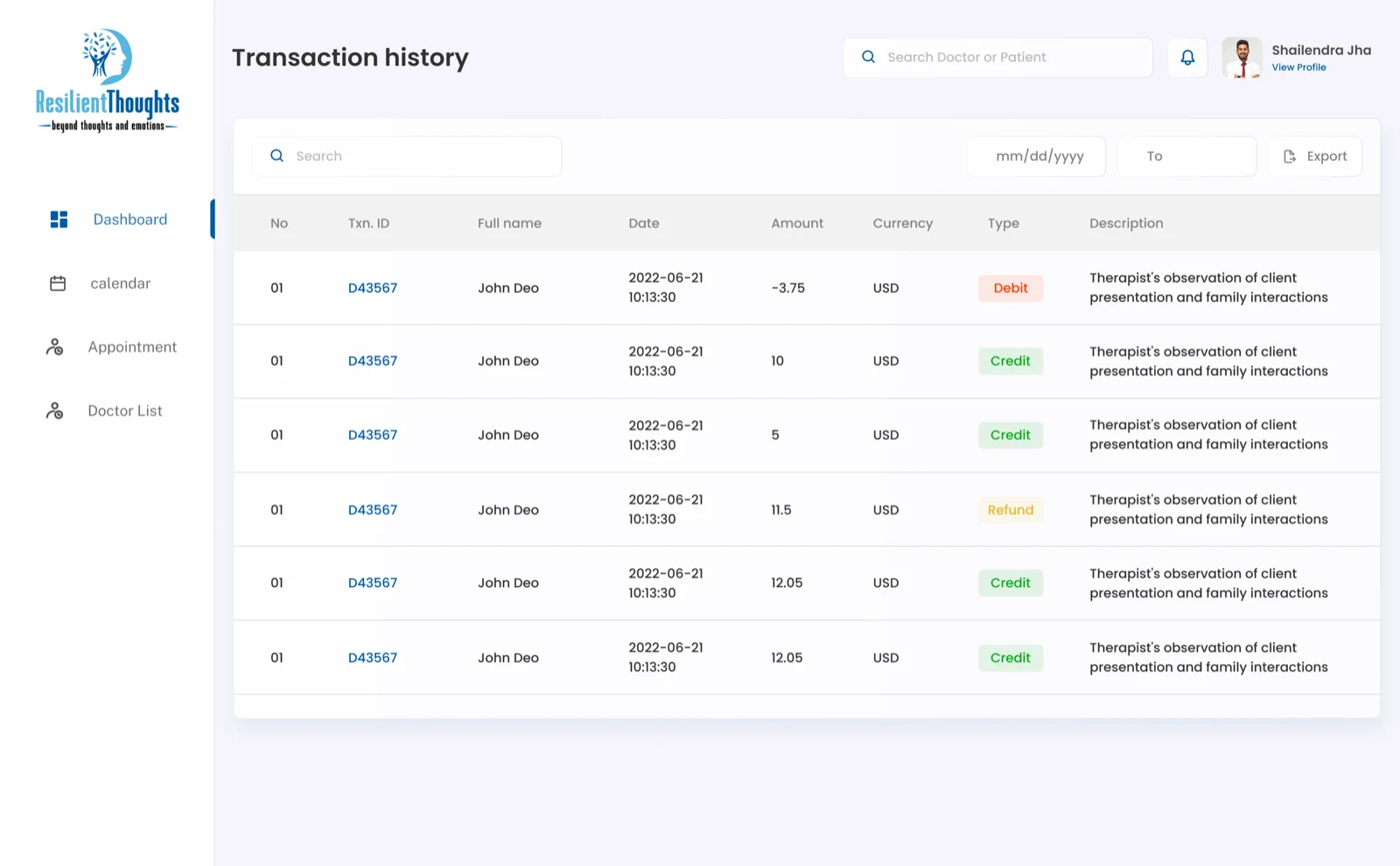
Transaction history
Section 03
The admin experience organizes verification, bookings, businesses, psychologists, revenue, and platform content into a more structured control system.
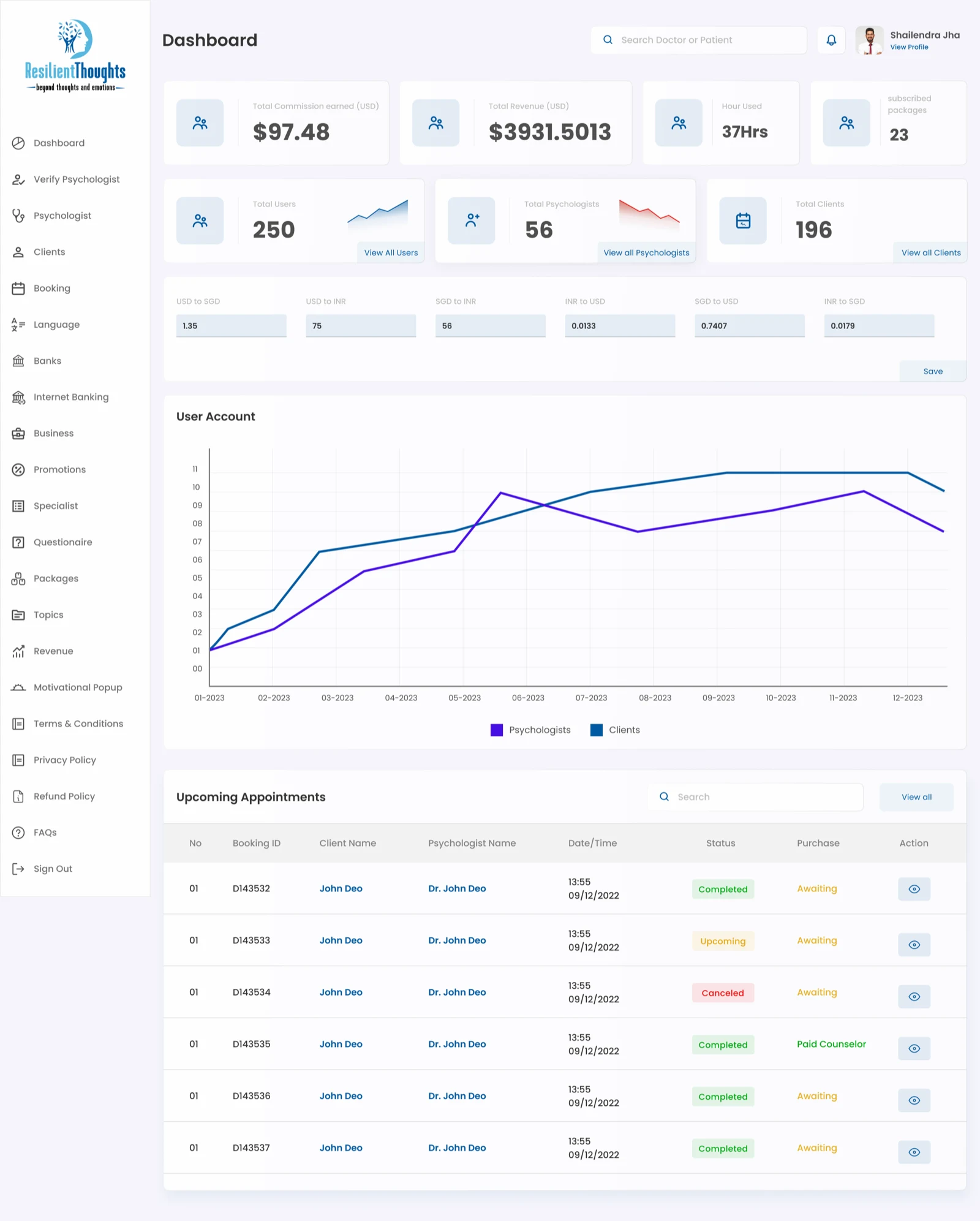
Admin dashboard overview
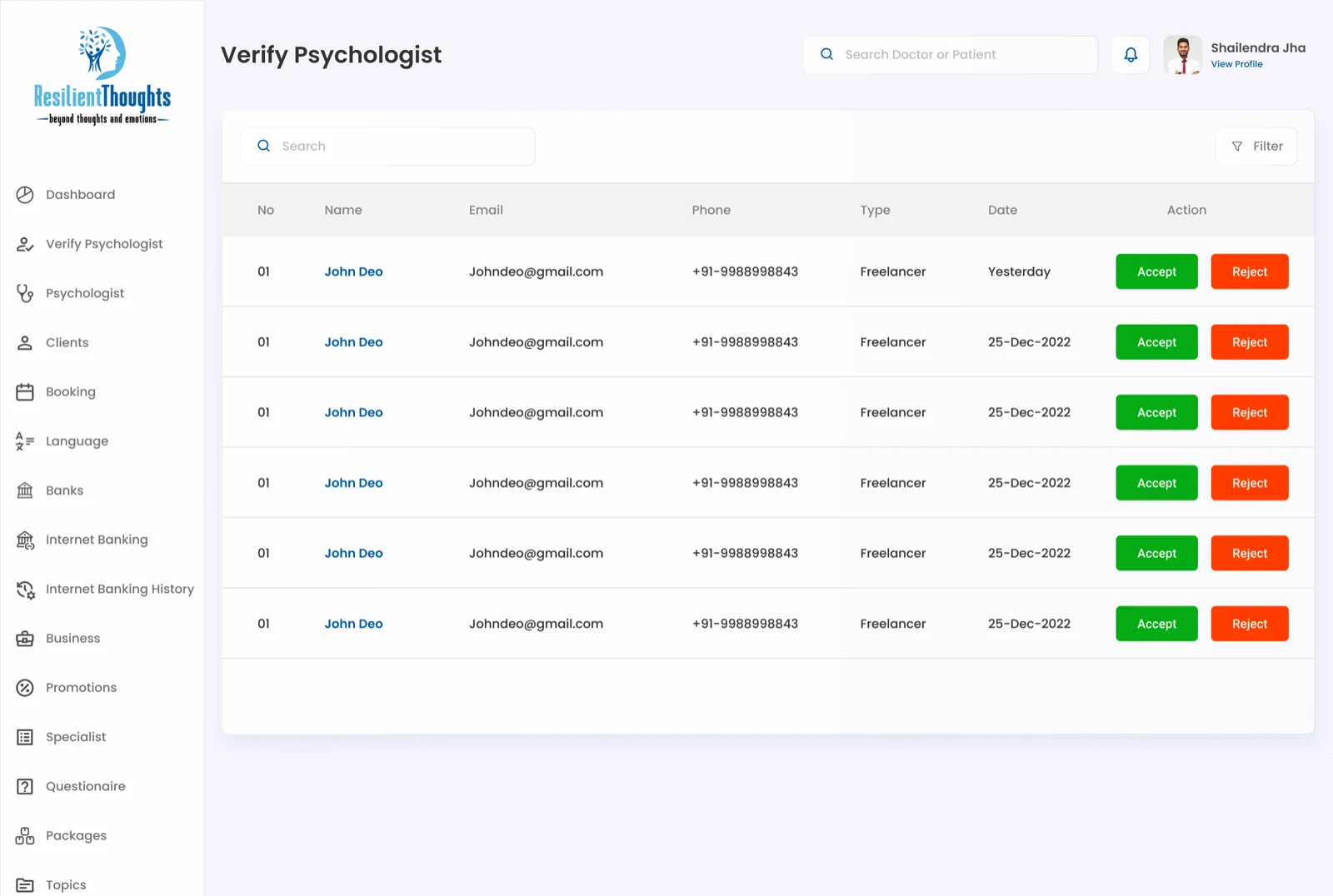
Verification queue
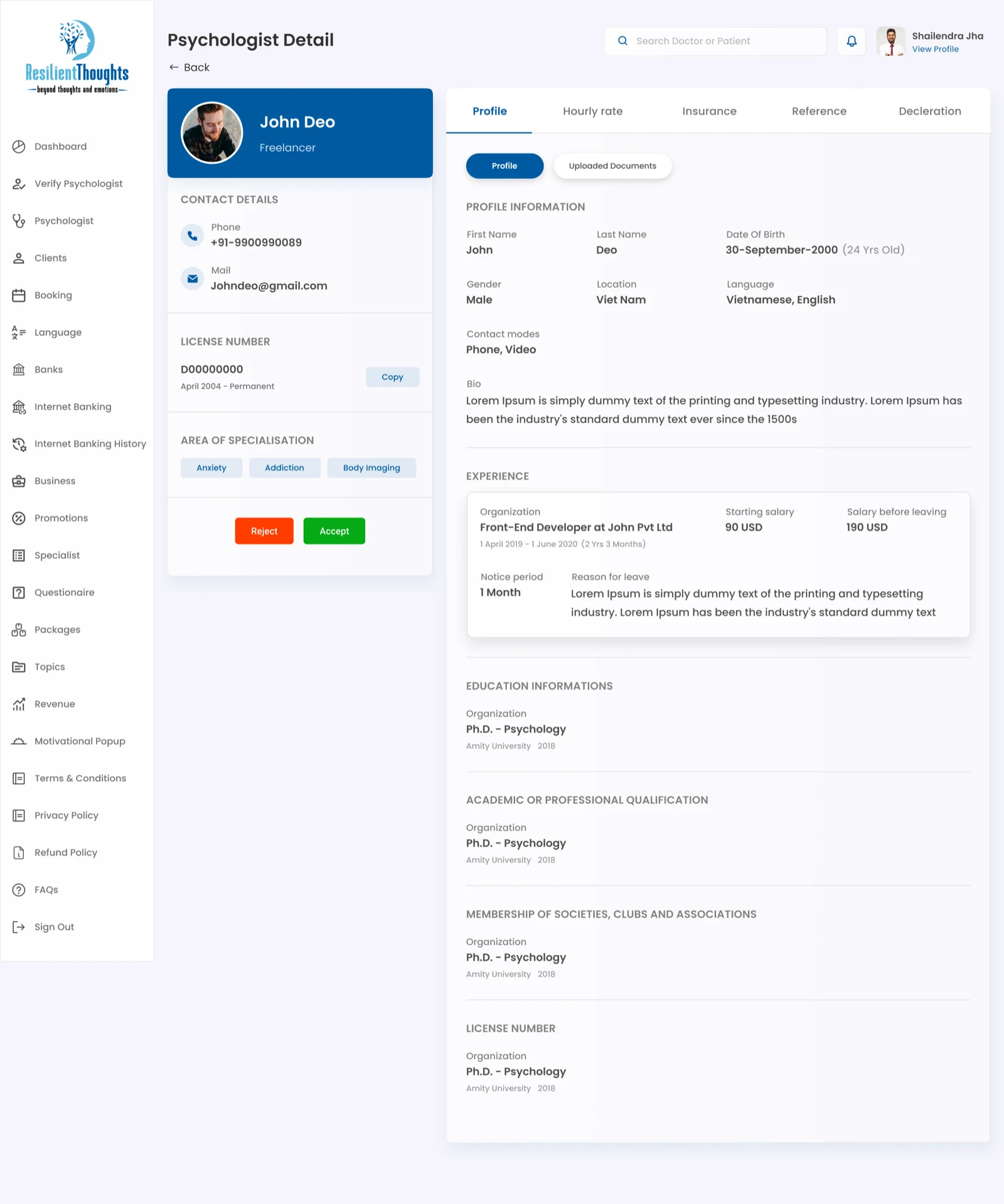
Psychologist profile review
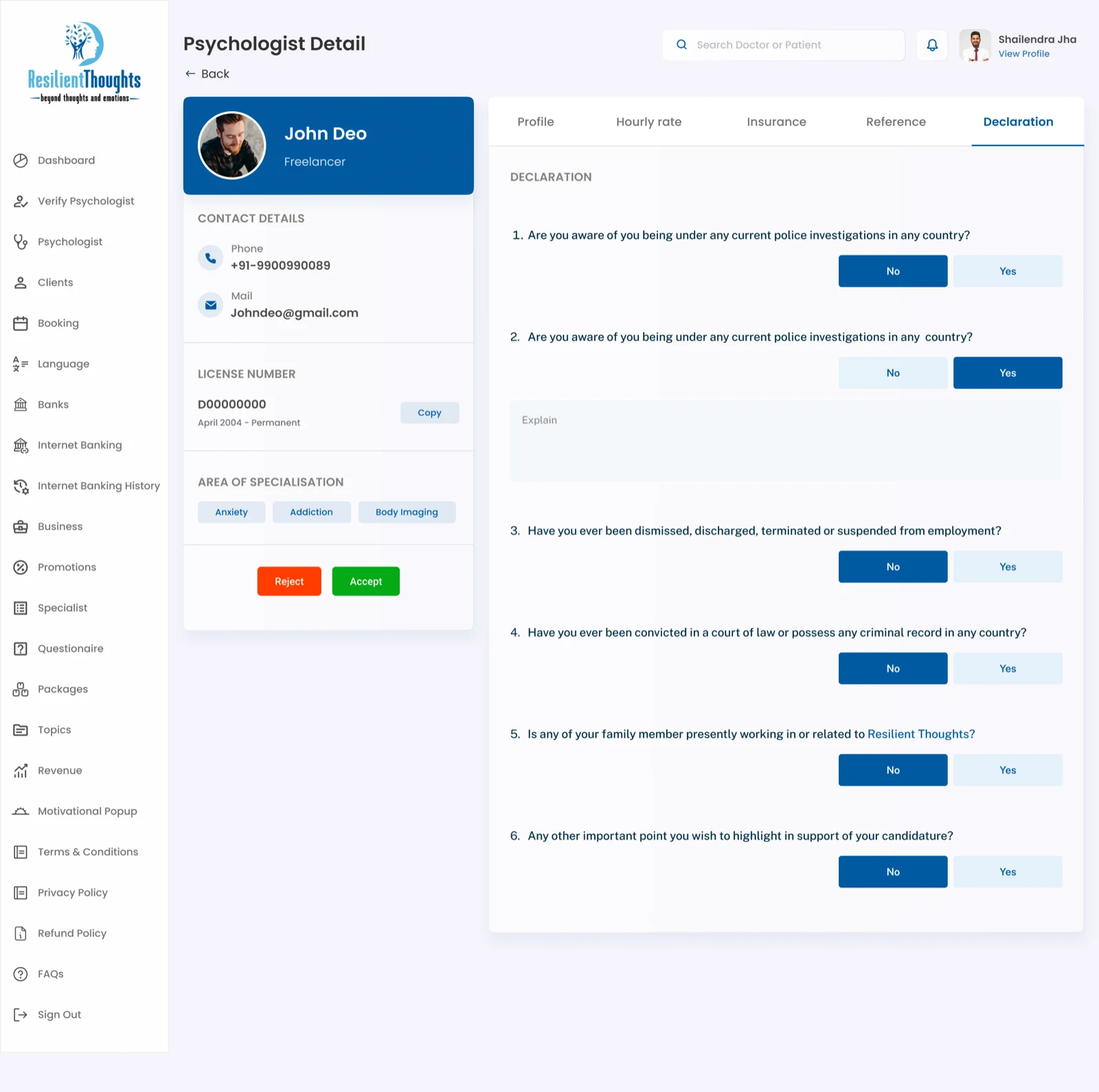
Declaration review
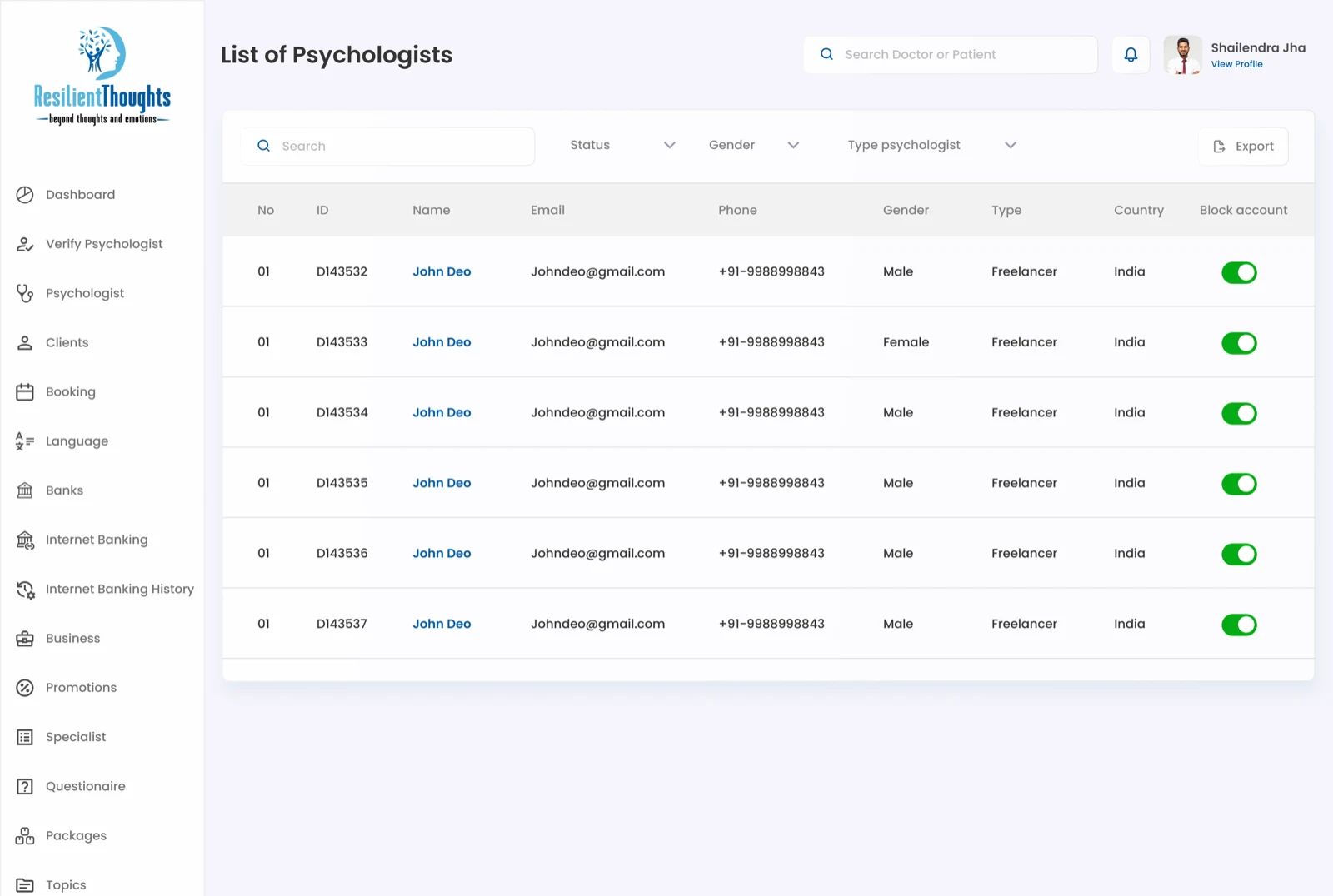
Psychologist directory
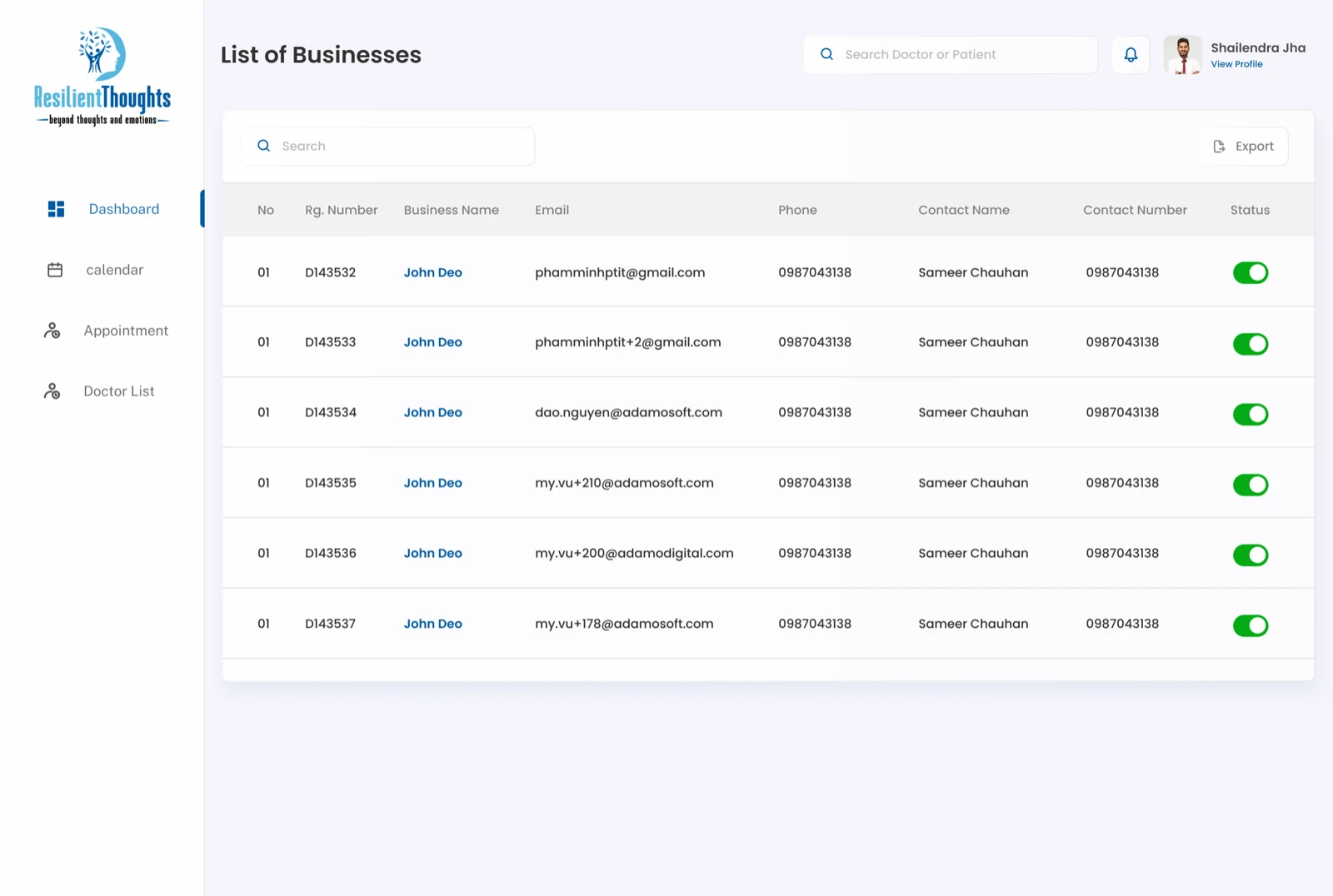
Business management
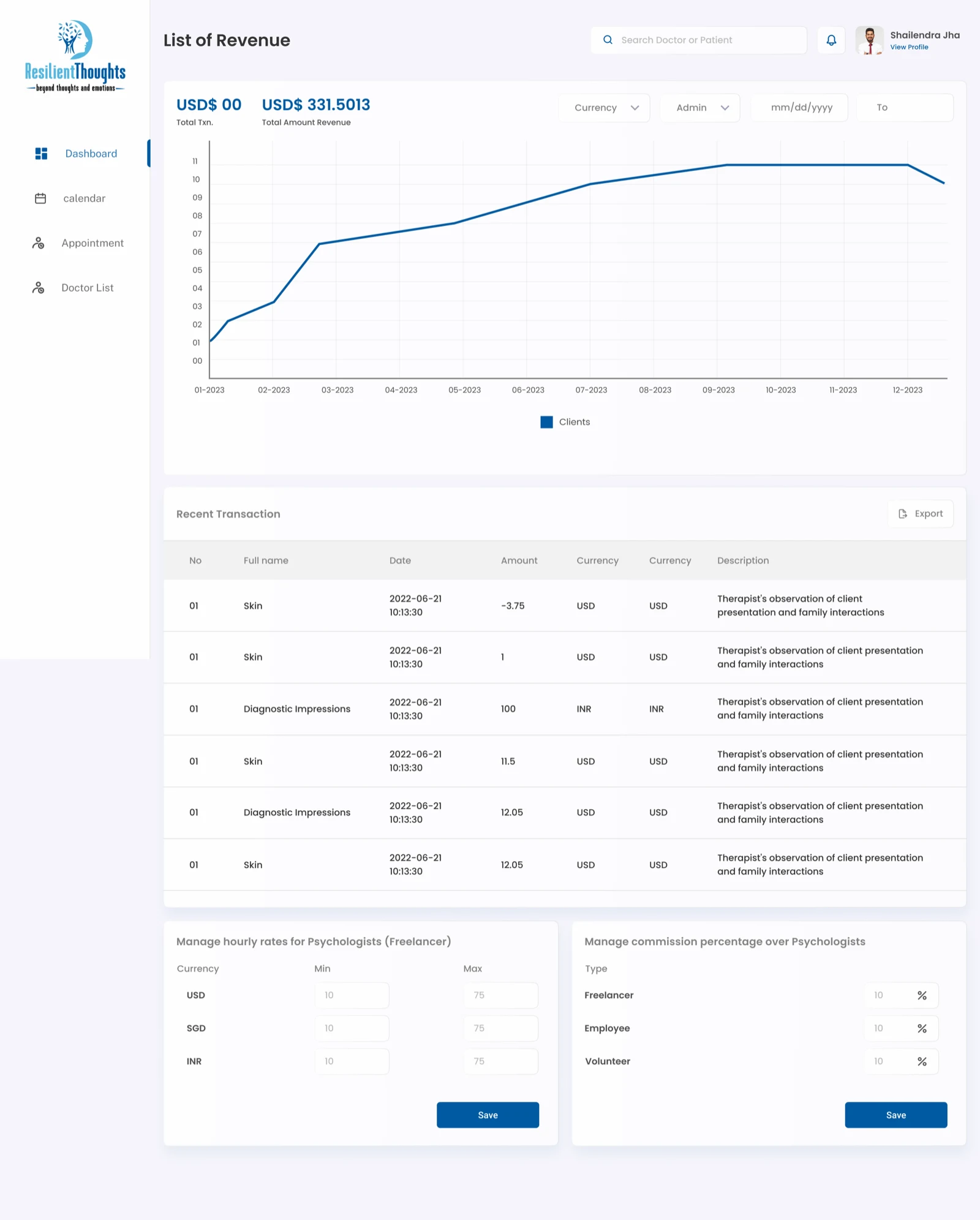
Revenue management
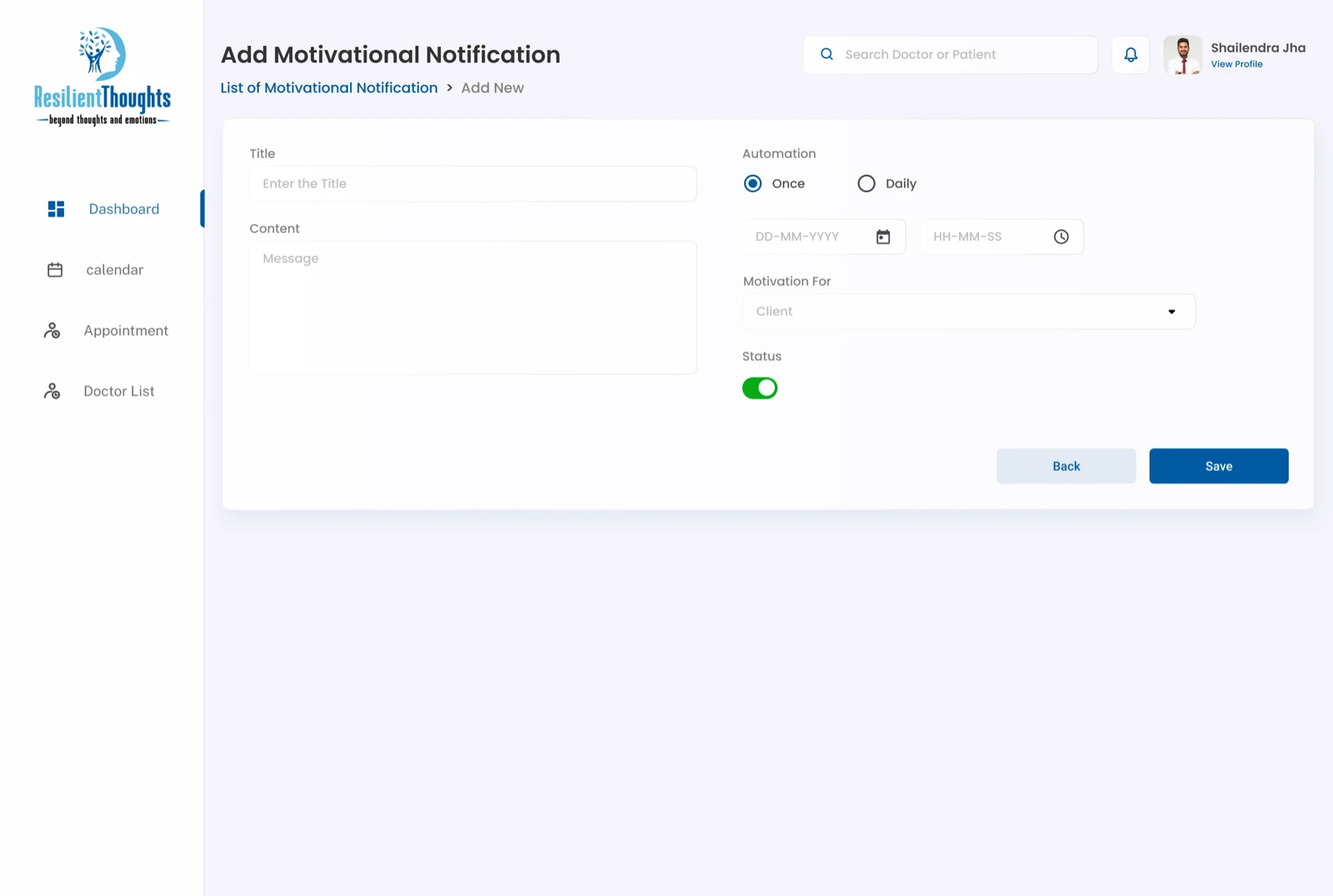
Motivational topic management